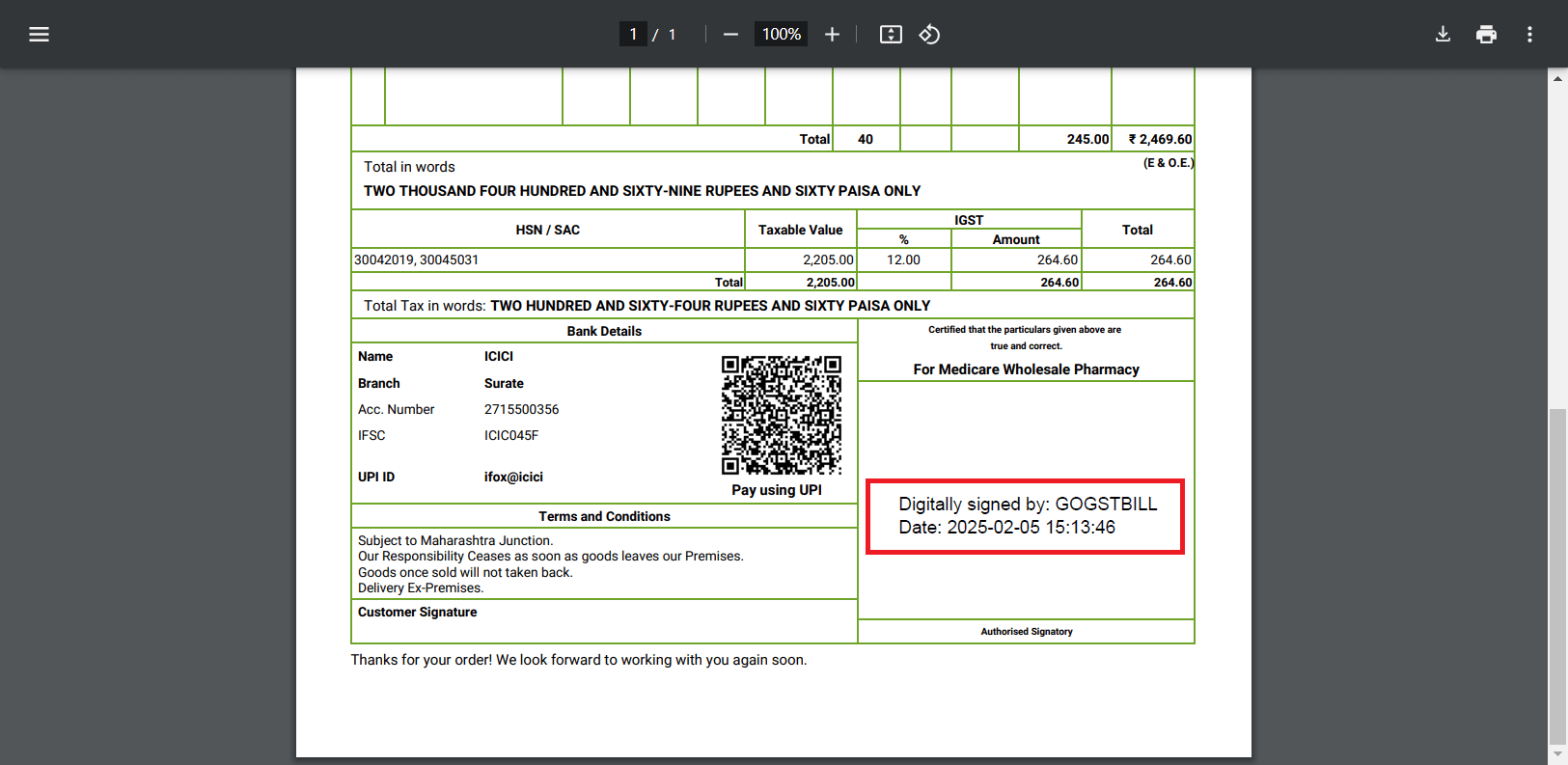
Note: To digitally sign your invoices in Go GST Bill, you will need a PFX file. A USB Token cannot be used, as it does not provide direct access to the private key required for signing.
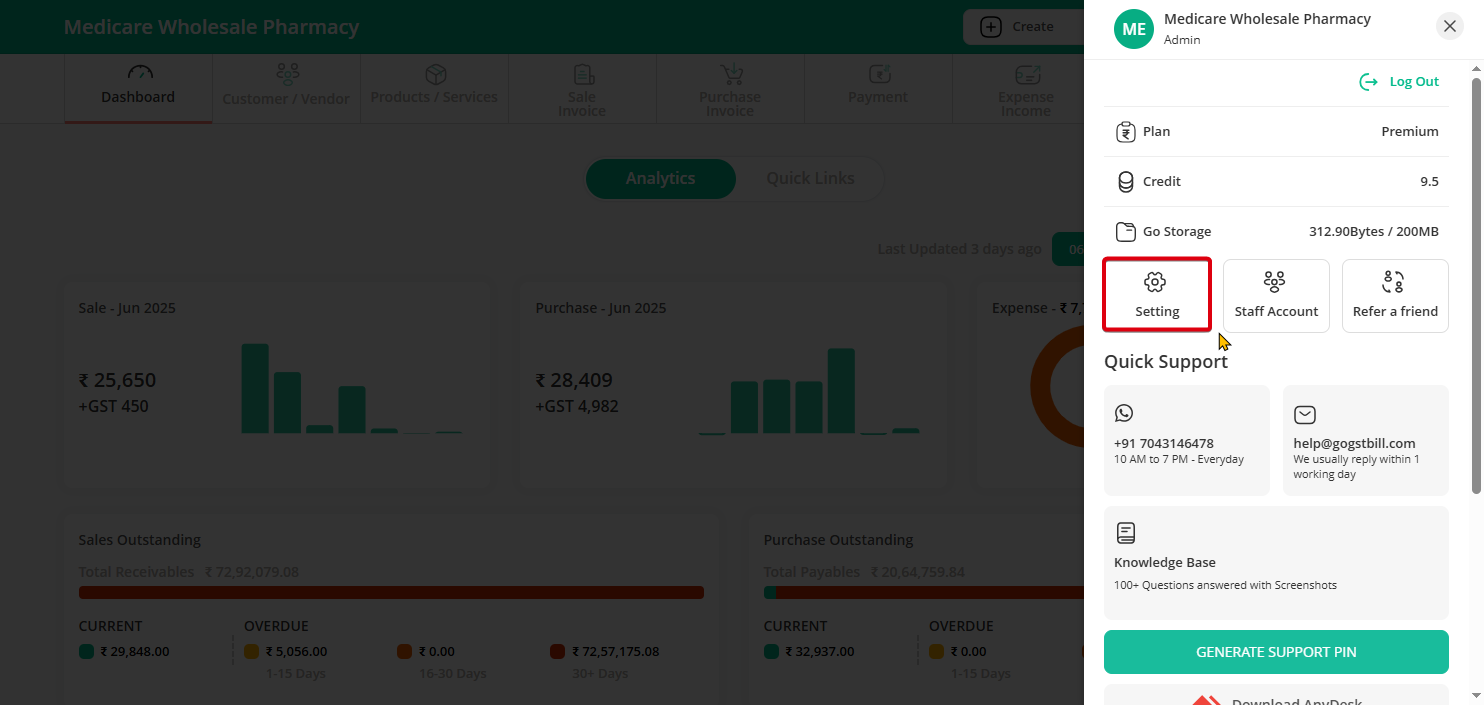
Step 1: Go To Settings.
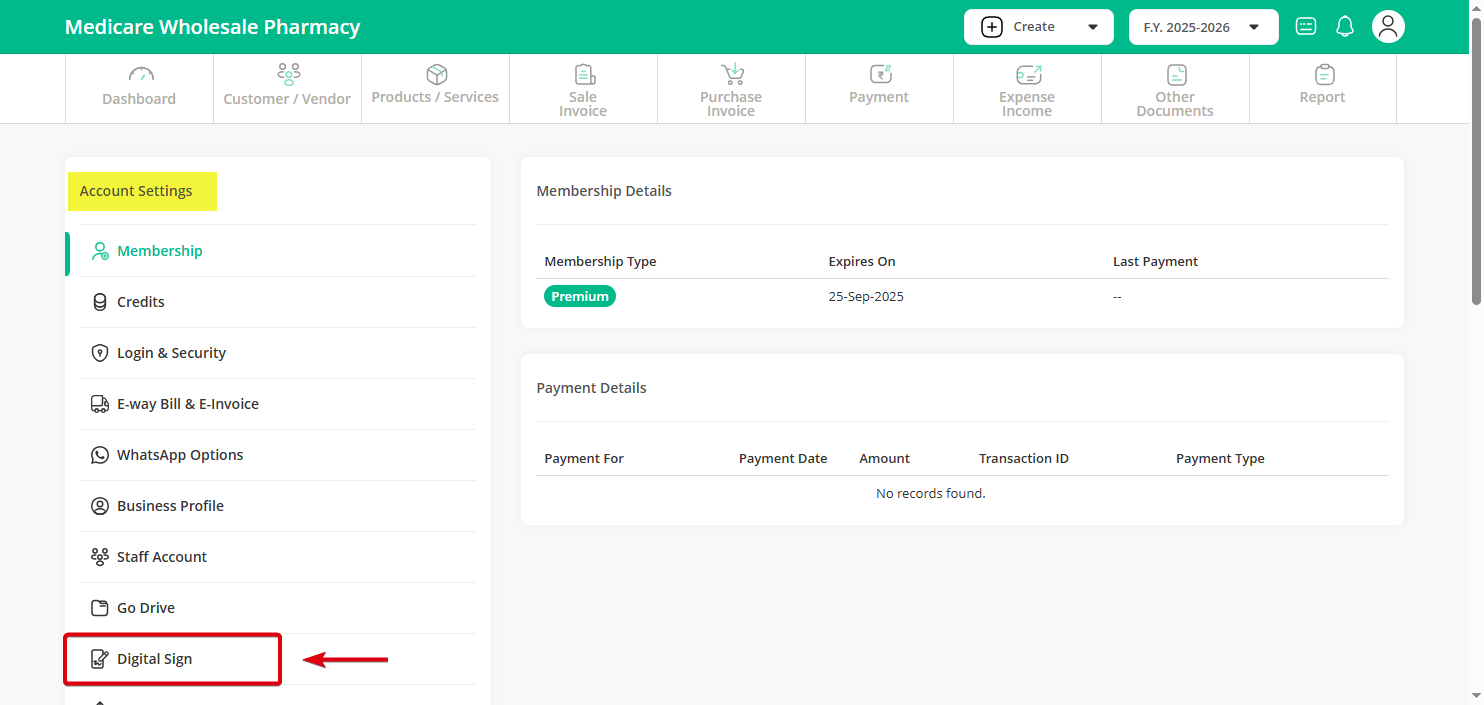
Step 2: In the left menu, select Digital Sign and enable it.
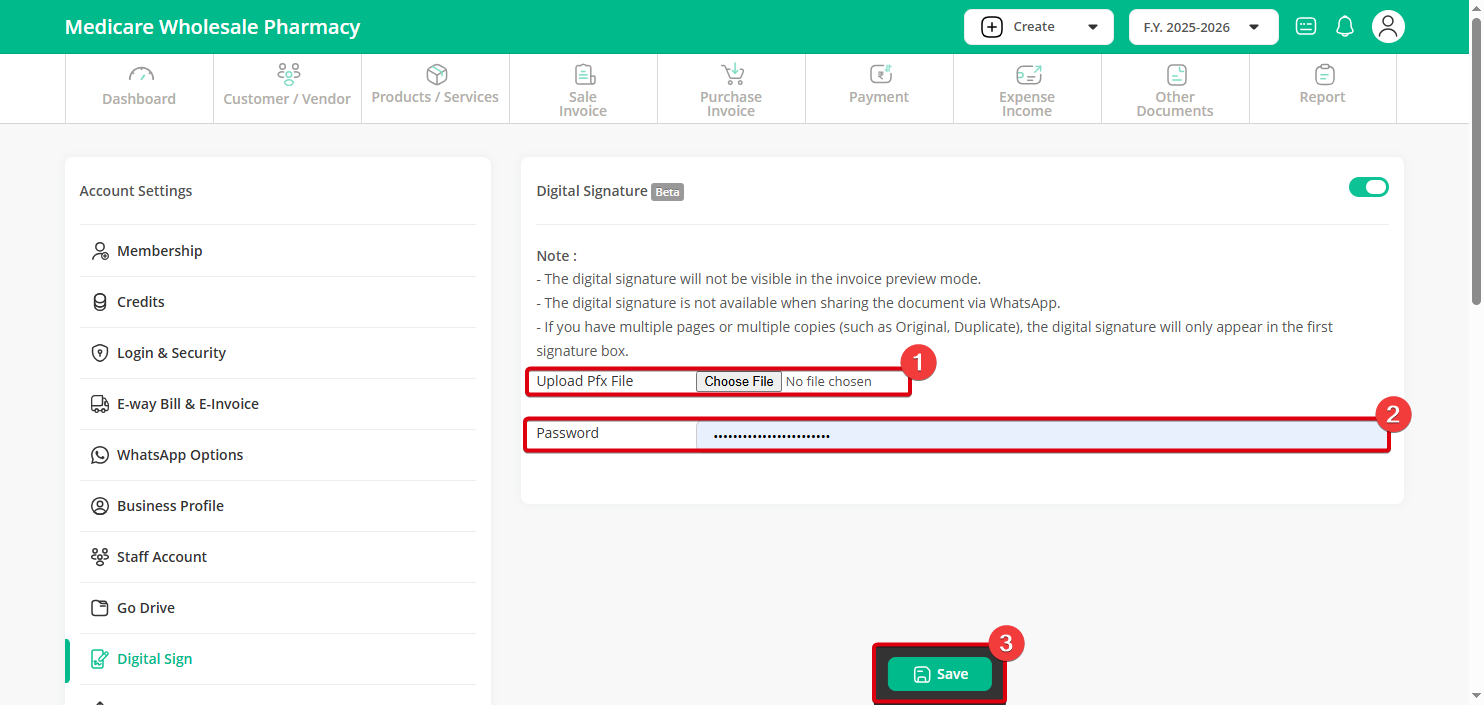
Step 3: Upload the PFX file, enter the password, and click the Save button.
Step 4: Now, When you download any Invoice, it will be digitally signed.