Here’s how you can quickly sort your invoices by date, invoice number, or customer name in Go GST Bill:
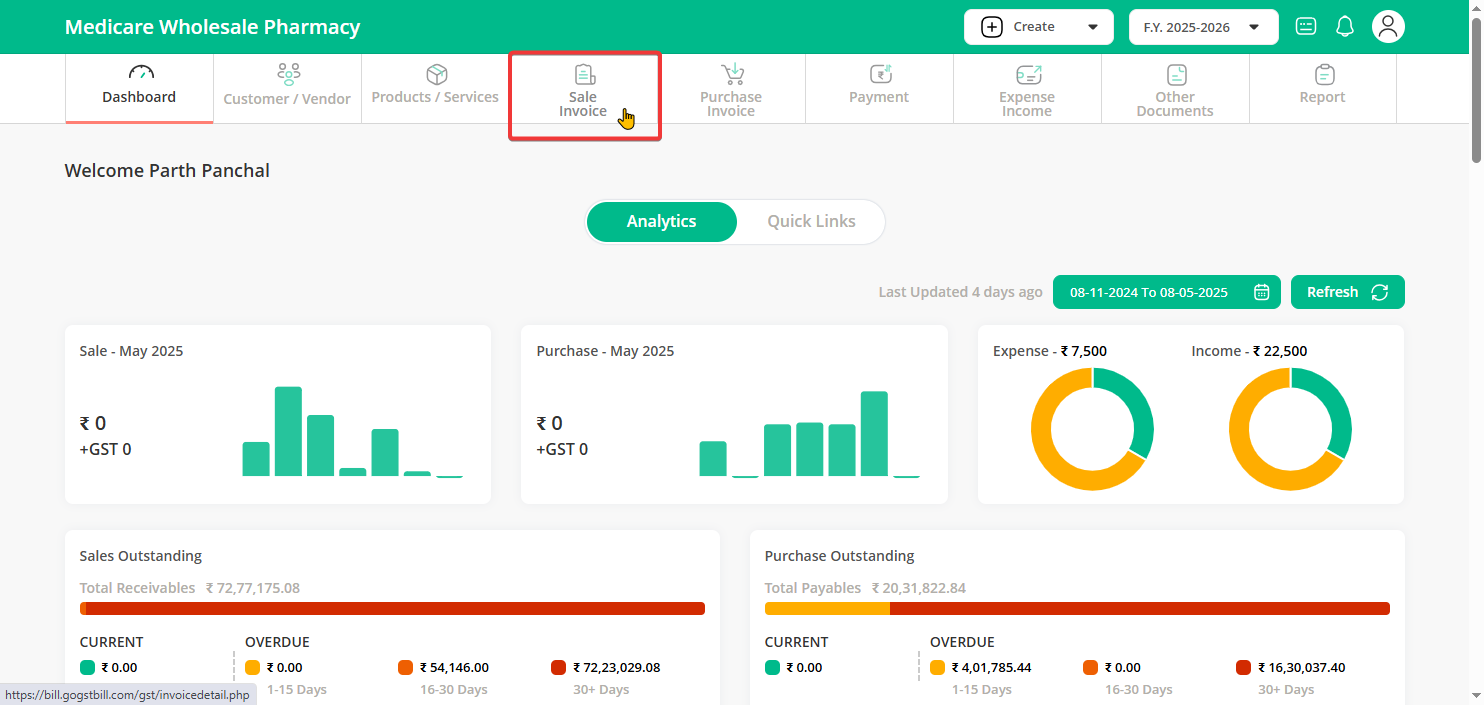
Step 1: Go to your Dashboard and click on the Sale Invoice option on your dashboard.
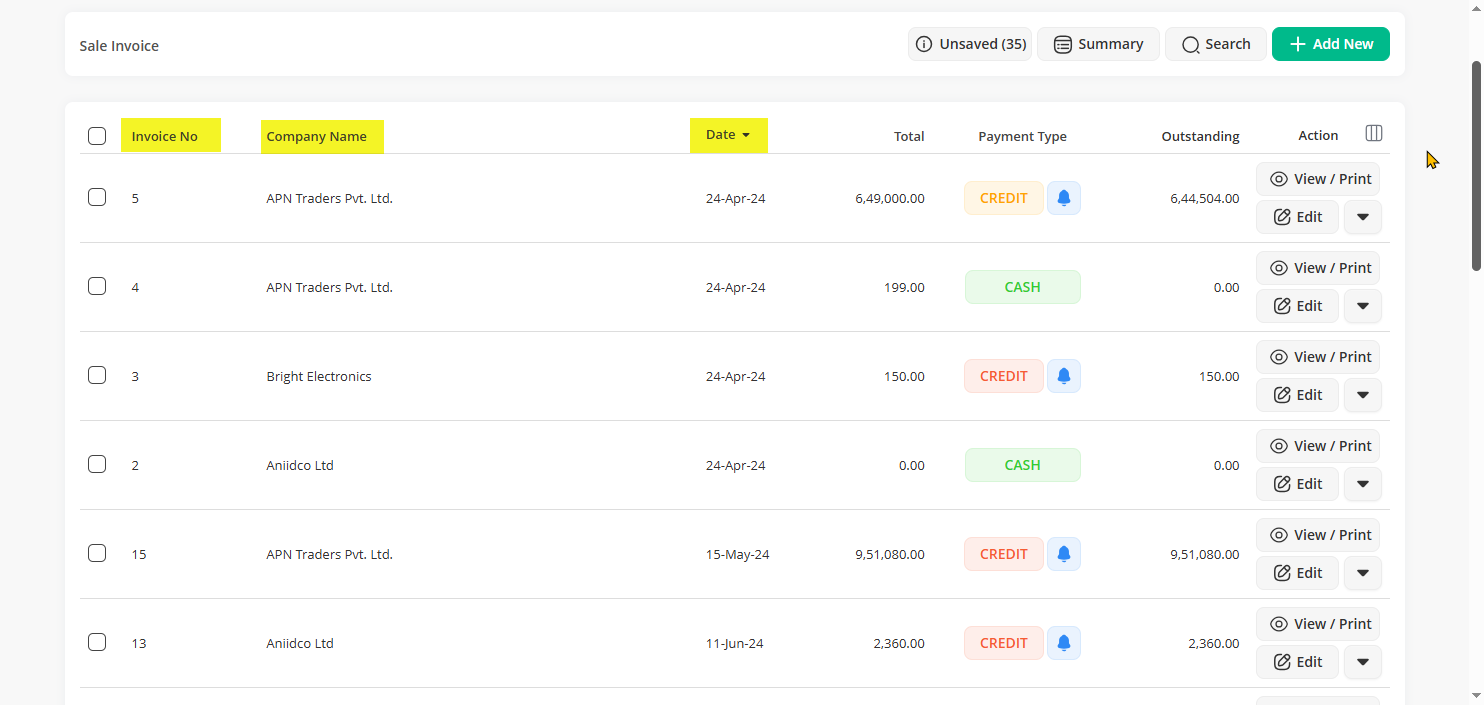
Step 2: At the top of the invoice list, you will see options like Invoice No, Company Name, and Date.
Click on any of these to choose how you want to sort the invoices.
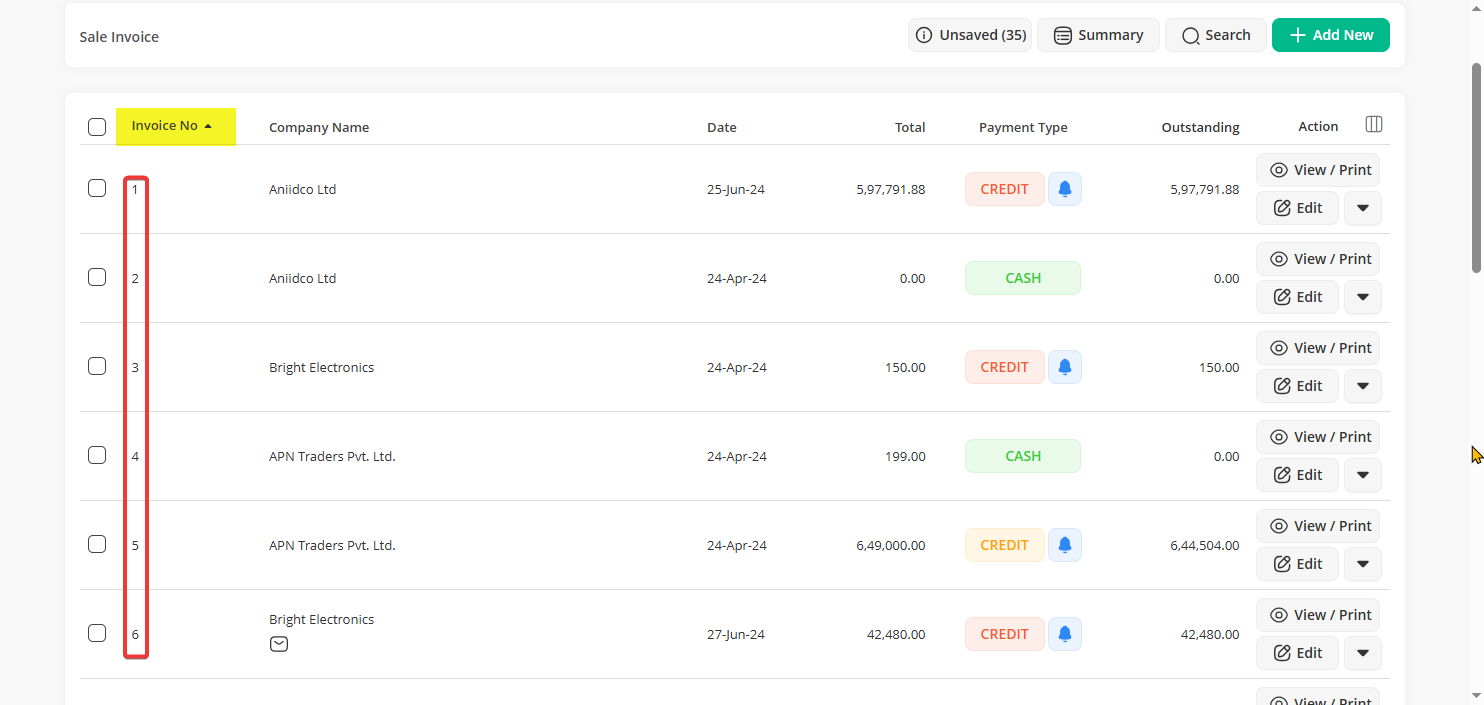
Step 3: For example, if you click on Invoice No, all invoices will arrange in number order.
Note: Clicking on Date will arrange them by the latest or oldest, and Company Name will sort them alphabetically.
Similarly, you can sort records on other documents like Quotations or Delivery Challans.