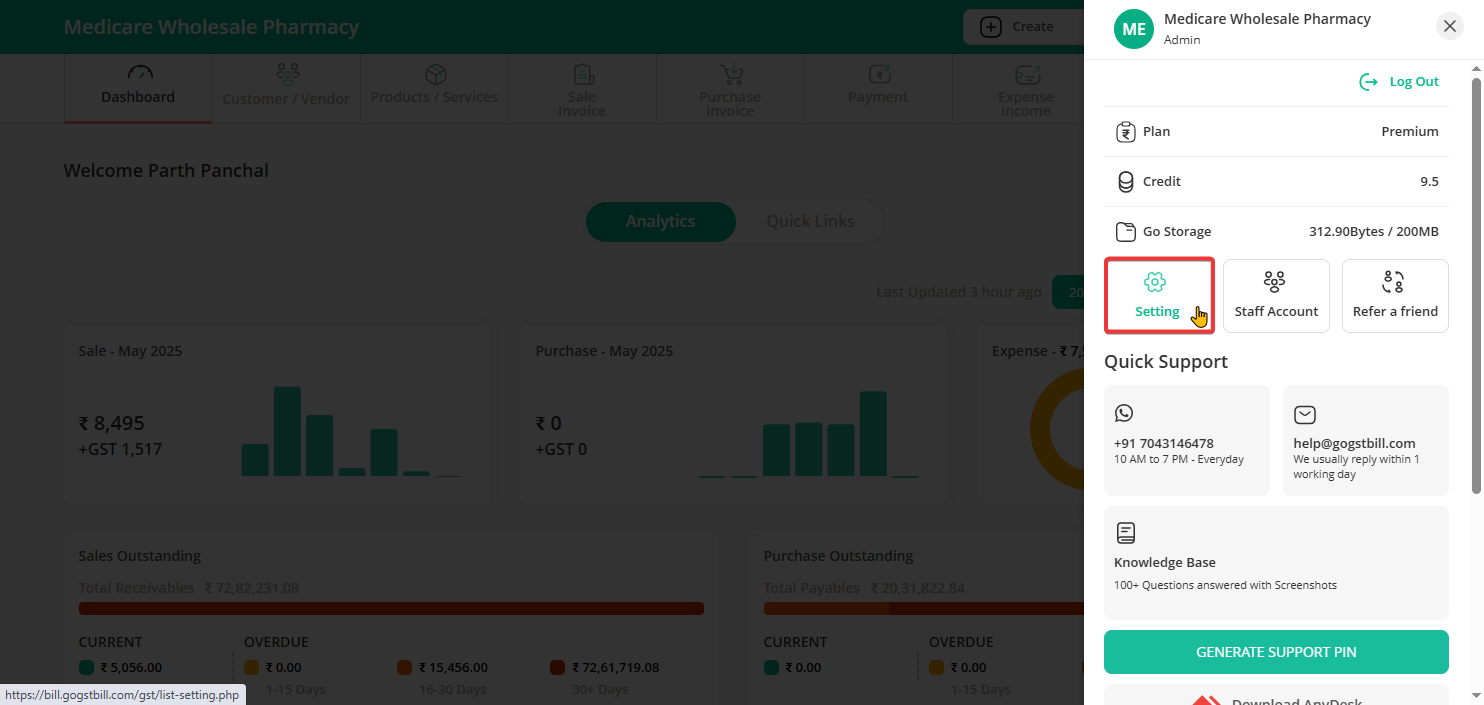
Step 1: On the top-right corner of your screen, click on the profile icon and select “Settings” from the dropdown menu.
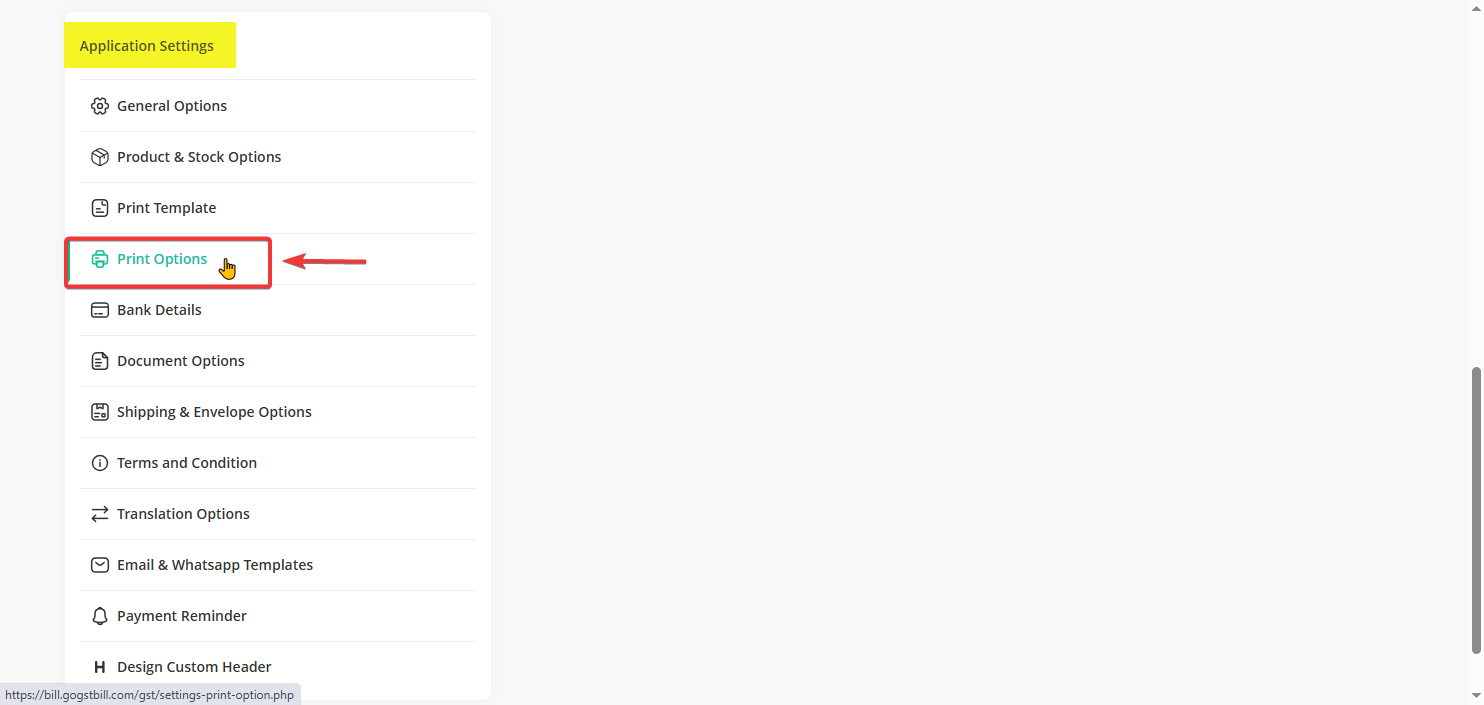
Step 2: Under Application Setting, click on “Print Options”.
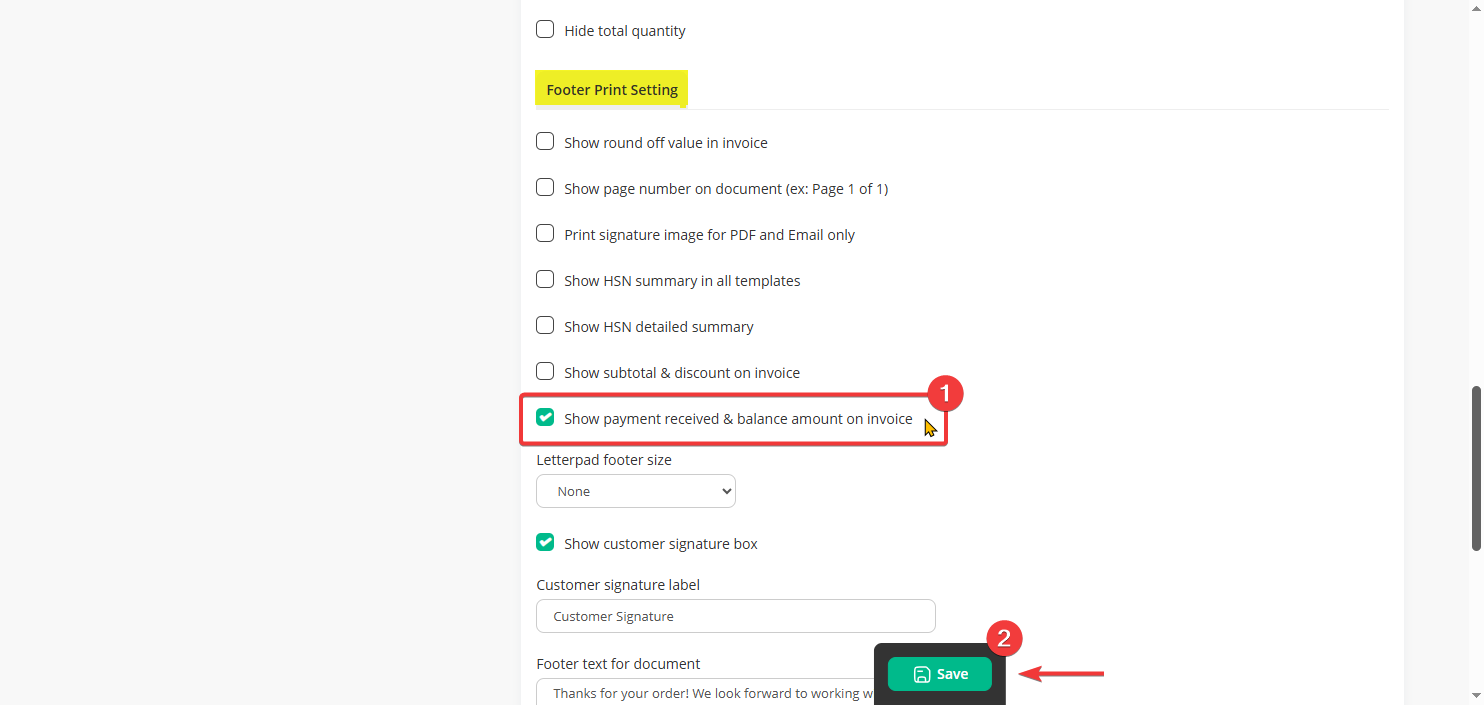
Step 3: Scroll down to the “Footer Print Setting” section.
Enable the option that says “Show payment received & balance amount on invoice”.
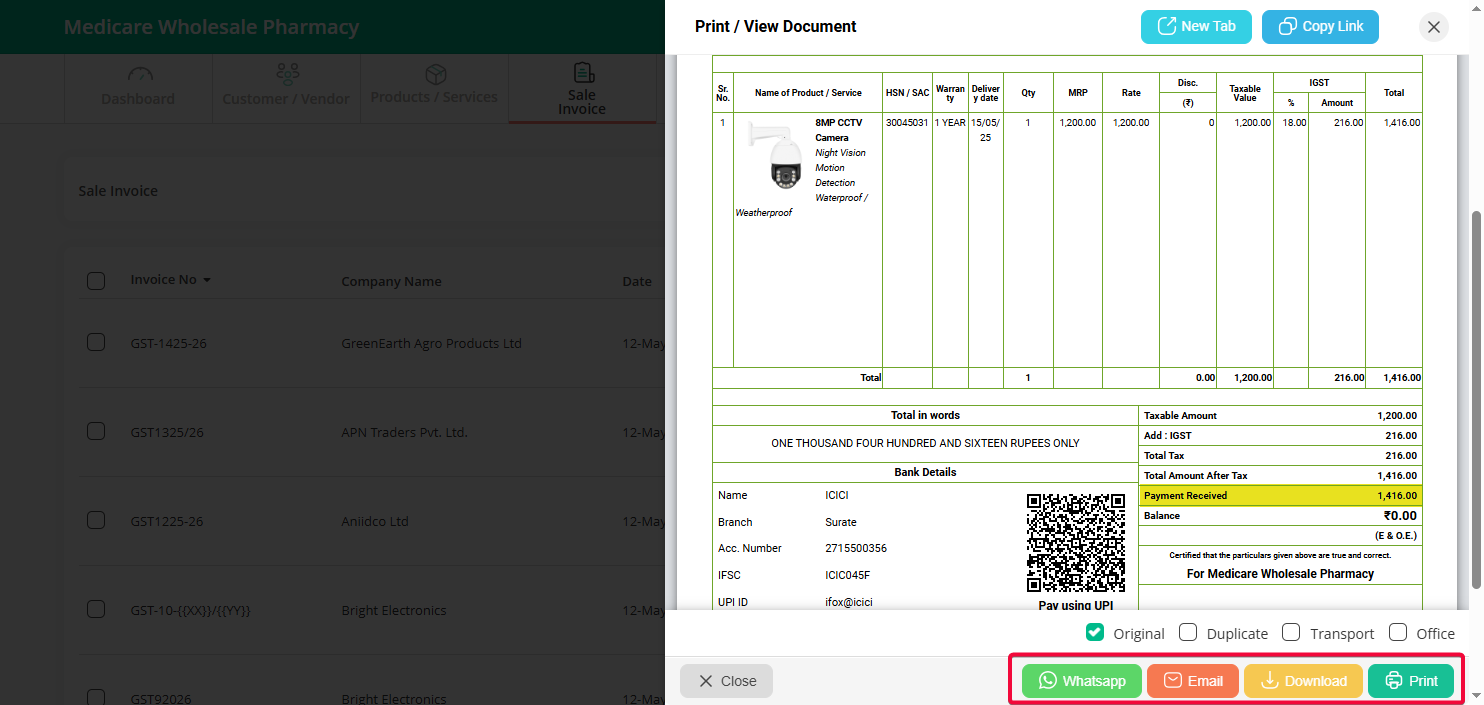
Step 4: Once you enable this, the invoice will start showing any advance amount received and the remaining balance at the bottom of the page.