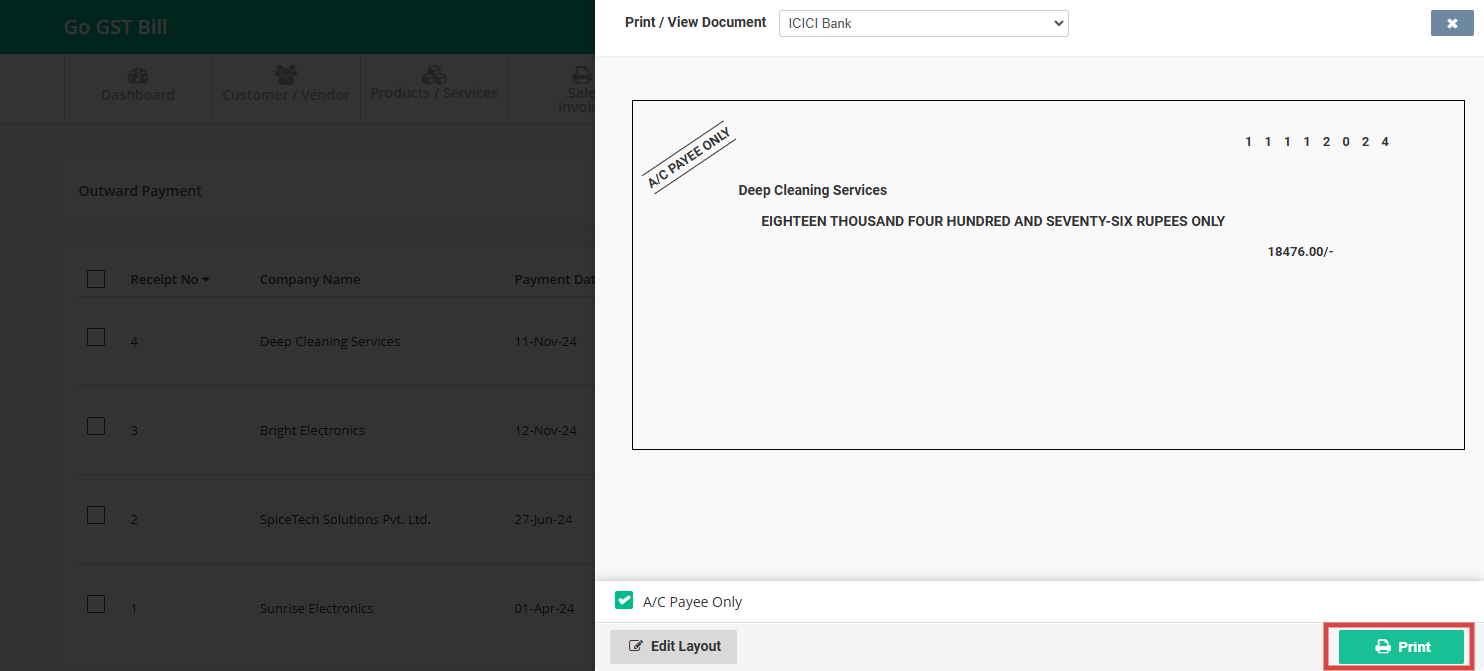
To print a cheque, follow these simple steps:
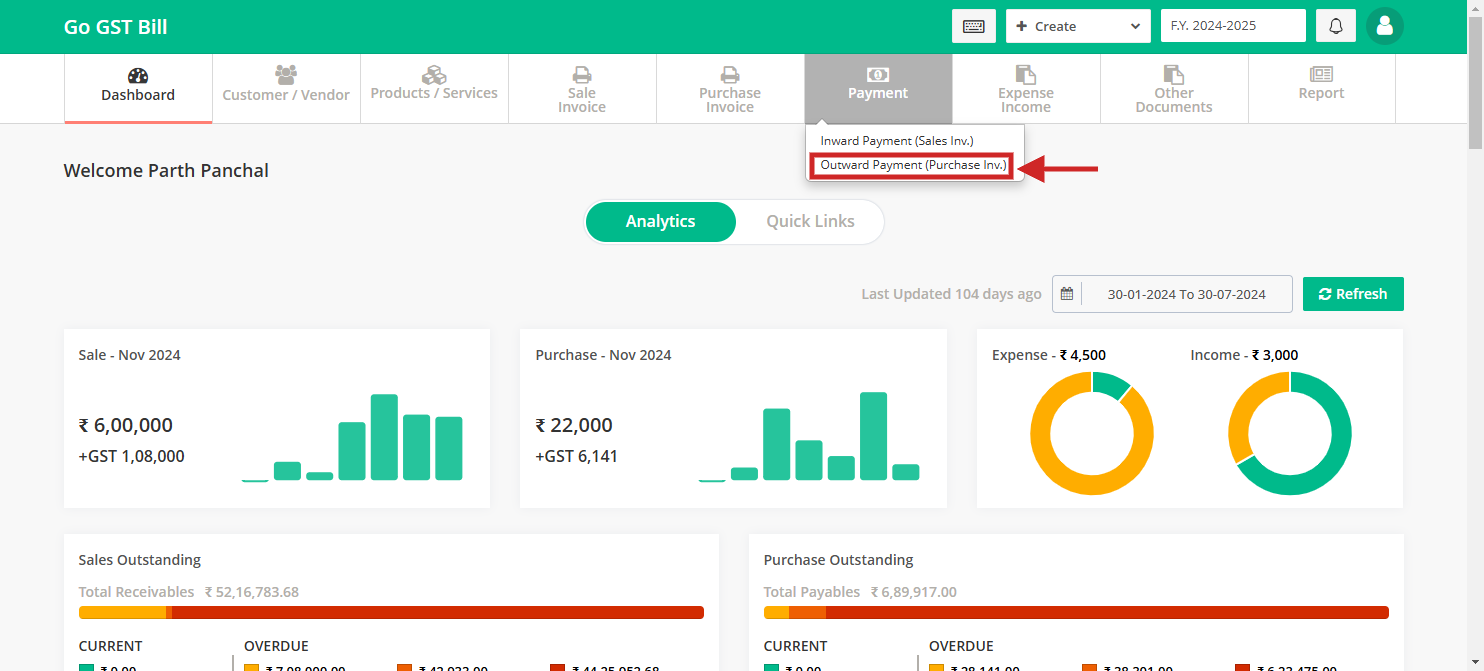
Step 1: Click on the “Payment” option from the main menu then click on “Outward Payment” option
Step 2: Click on dropdown arrow select “Cheque Print” from the list.
Important : The Cheque Print option will only show up if the outward payment entry was done by cheque payment method.

Step 3: Review the details and click on “Print” button
Note: Select your preferred bank and it will load default cheque layout still you can adjust it by clicking on “Edit Layout” button.