To create product with batch option first you have to configure batch option settings as per you business needs, please click here to view batch settings configuration instructions.
After batch option configuration follow the steps given below to add product with batch options
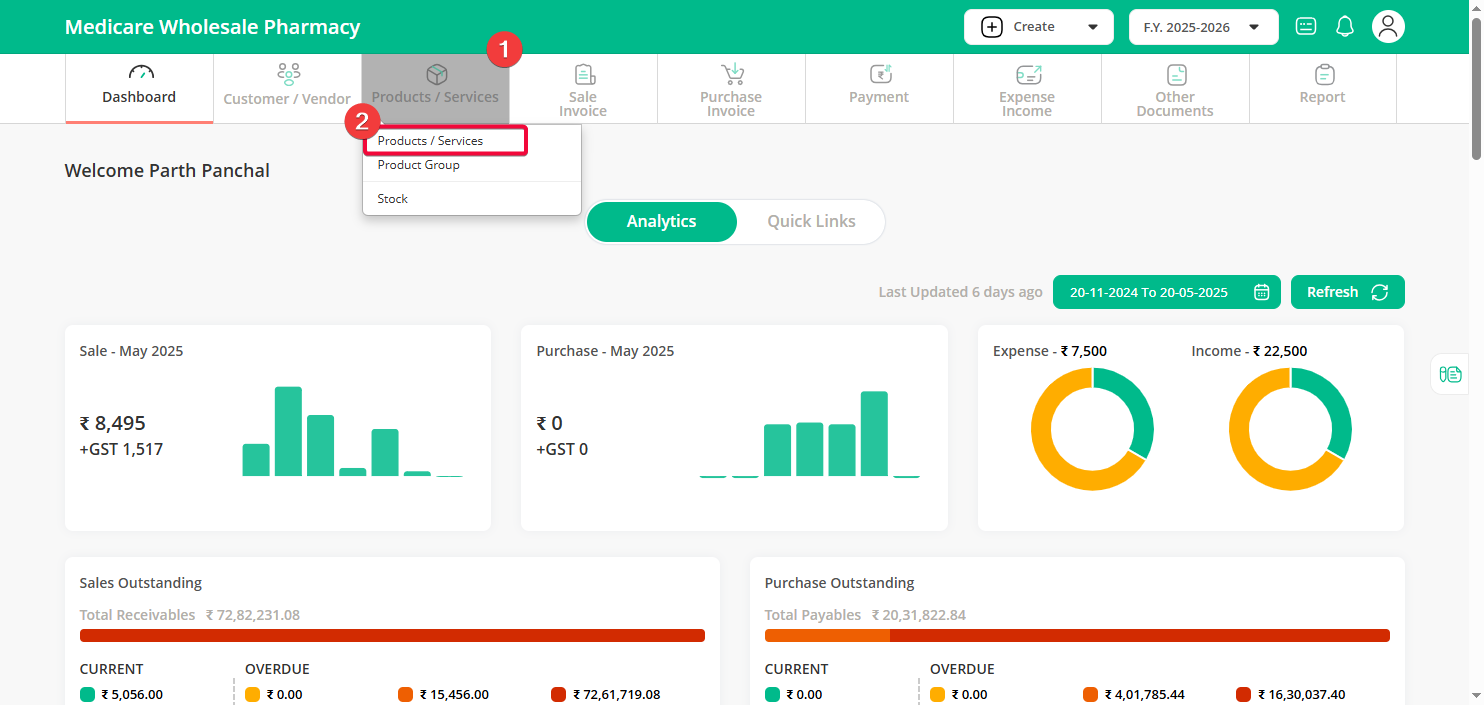
Step 1 : Go to the Products / Services menu and click on the Product / Service sub-menu.
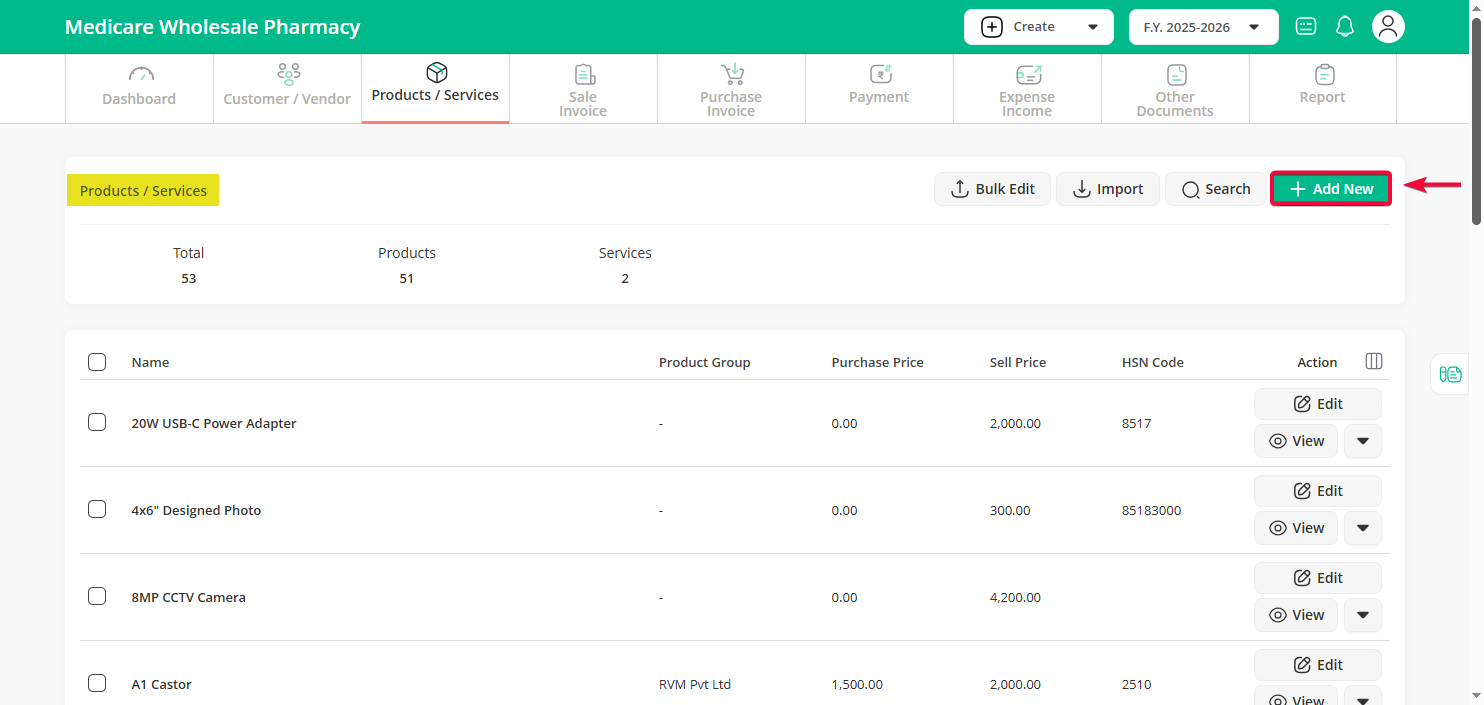
Step 2 : Click on “Add New” Button.
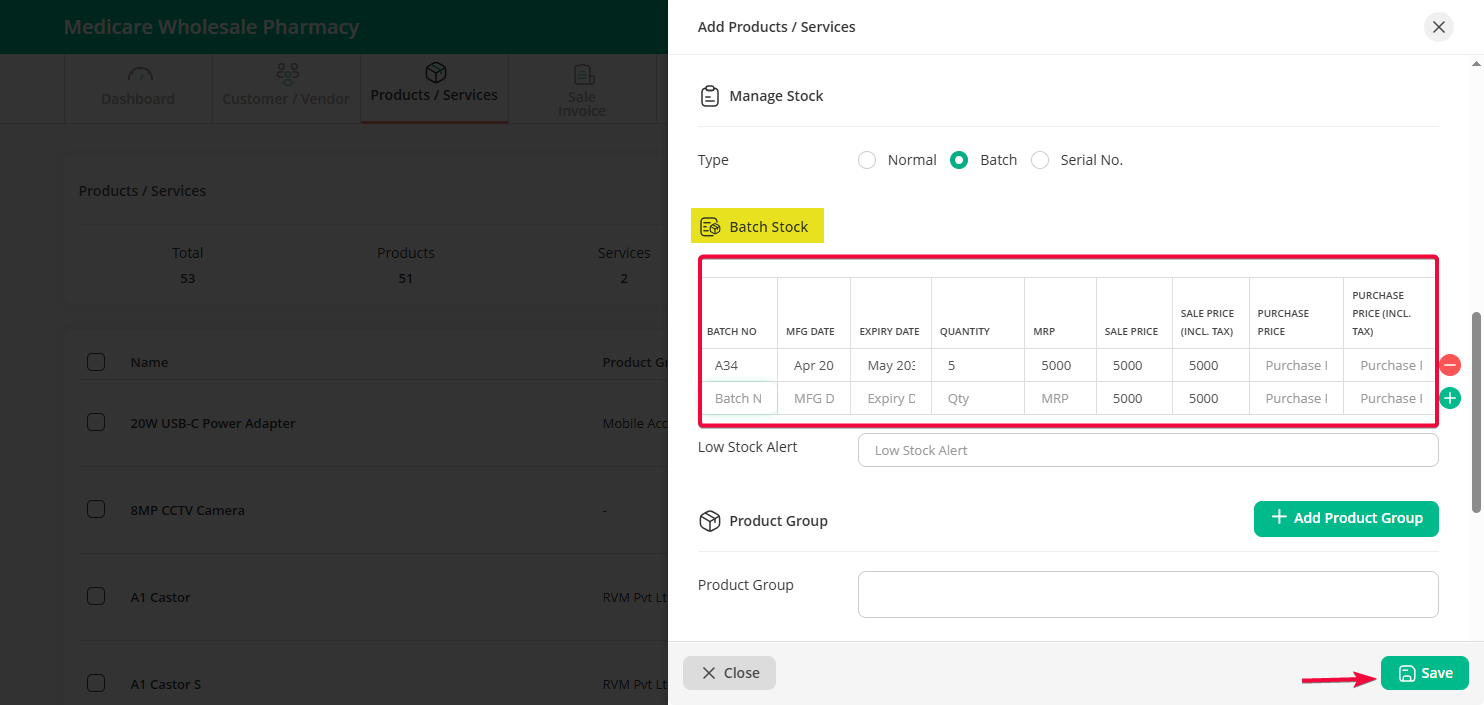
Step 3 : Fill in the product details, and under the Manage Stock section, select the Batch option. Enter the batch details and click the “Save” button.
Note: Once the product stock type is set as Serial No., it can’t be changed to Normal or Batch later.