Knowledge Base

Home How to add opening balance for customer or vendor

    How to add opening balance for customer or vendor

    Last Updated:

    You can add the opening balance while adding a new customer or vendor.

    Just scroll down to the Opening Balance section:

    – Select Debit if the customer owes you.
    – Select Credit if you owe the vendor.
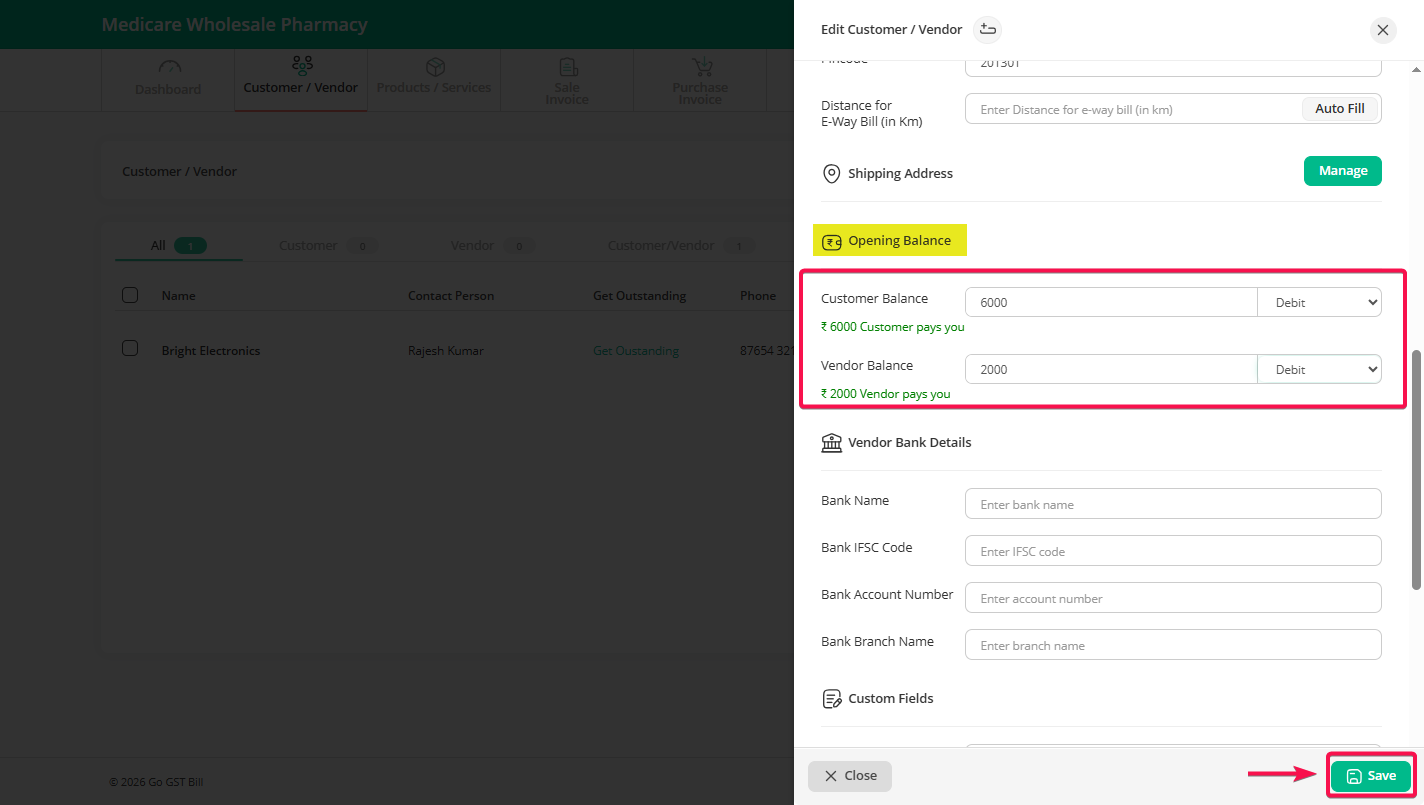
    📌 This helps you keep your books accurate from day one.

    Can't find what you're looking for?

    Don't worry we're here to help!

    Call Us

    704-314-6478

    (10AM To 7PM - Everyday)

    +91 70431 46478

    Create Support Request

    Create Support Request

    Chat Now
    1