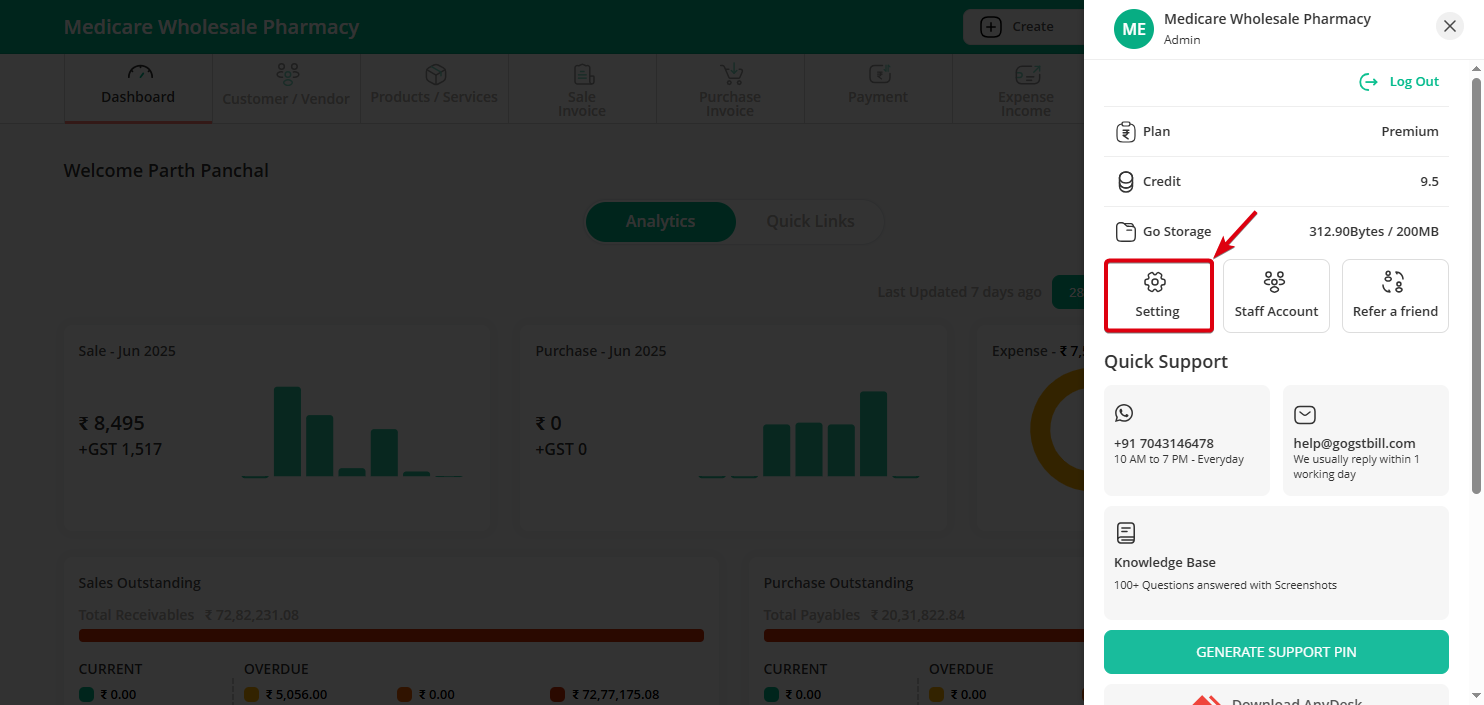
Step 1: Click on the “Profile Icon” on the top-right bar and select the “Settings” option.
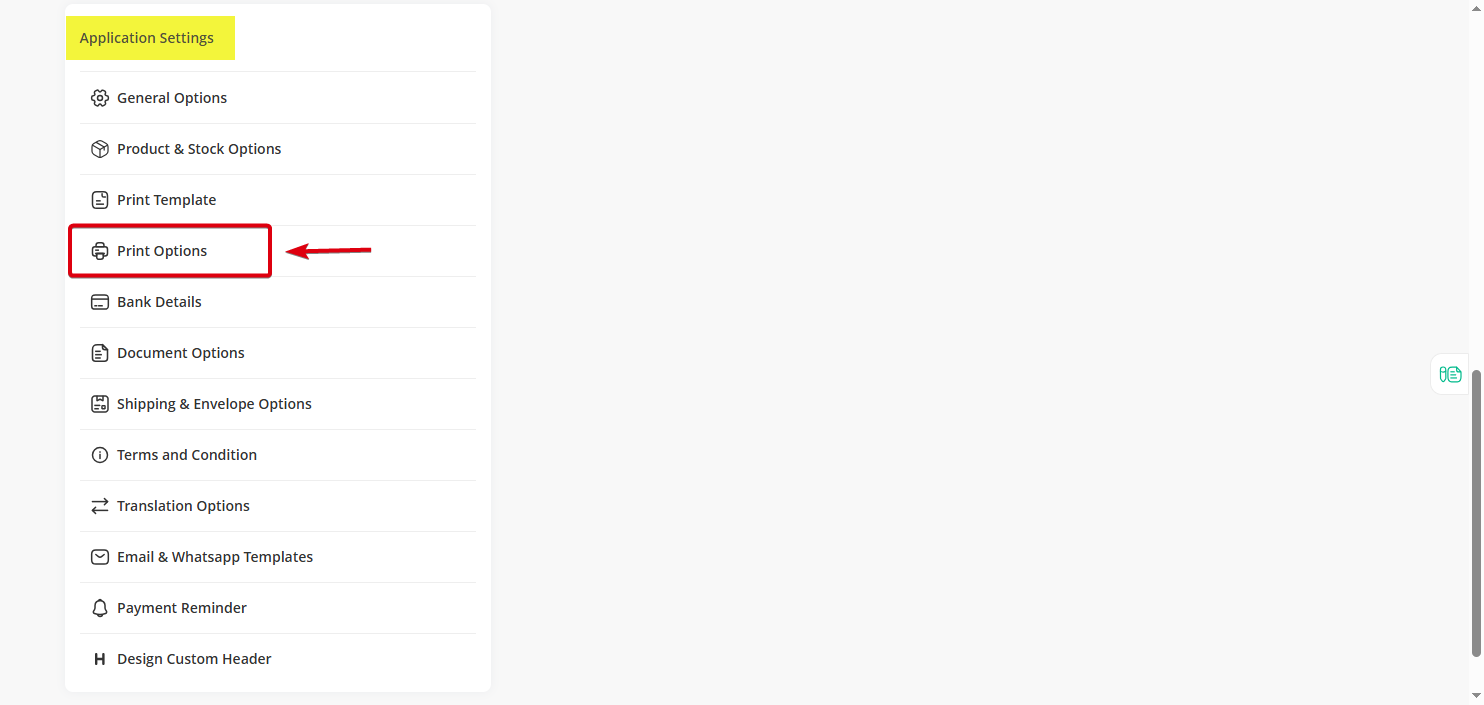
Step 2: In the Settings section, find and click on “Application Settings”, then click on “Print Options” under it.
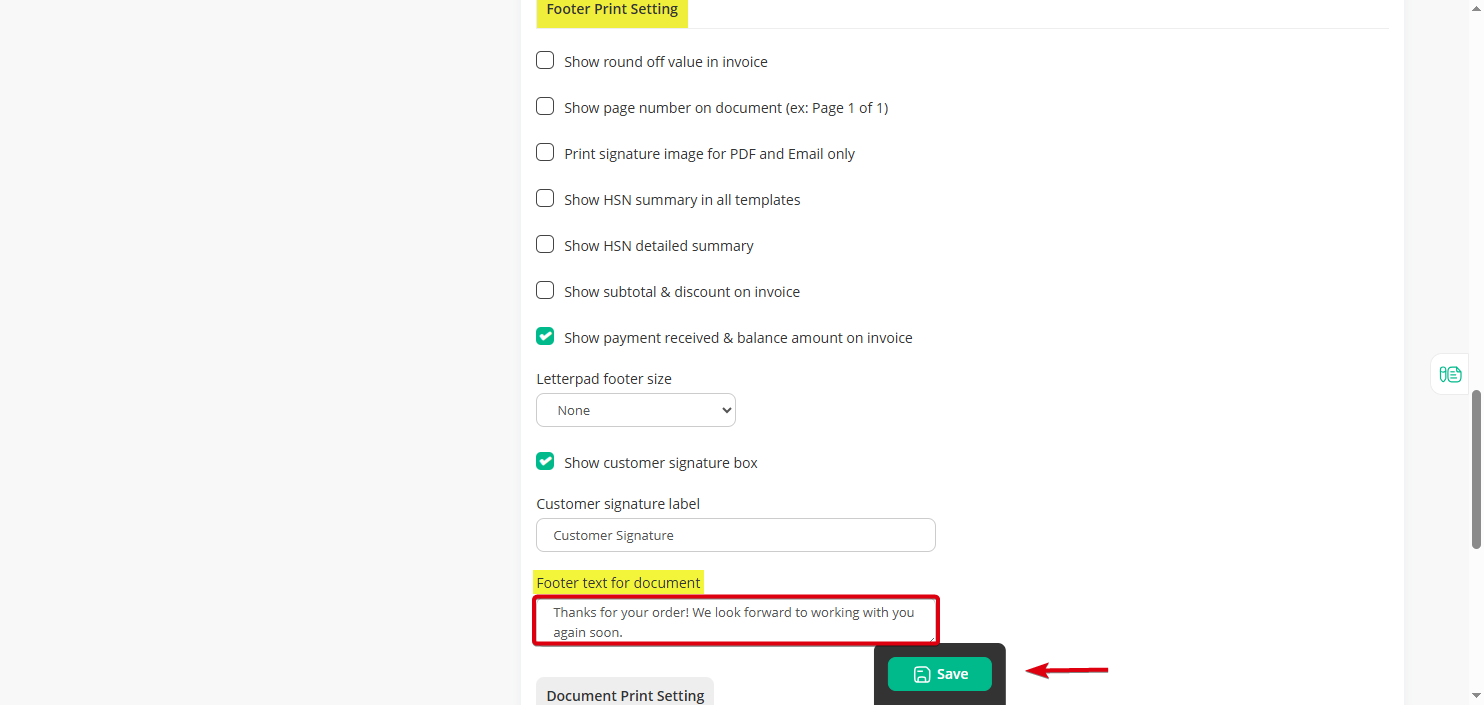
Step 3: Scroll down to the “Footer Print Settings” section, where you’ll find the “Footer Text for Document” option.
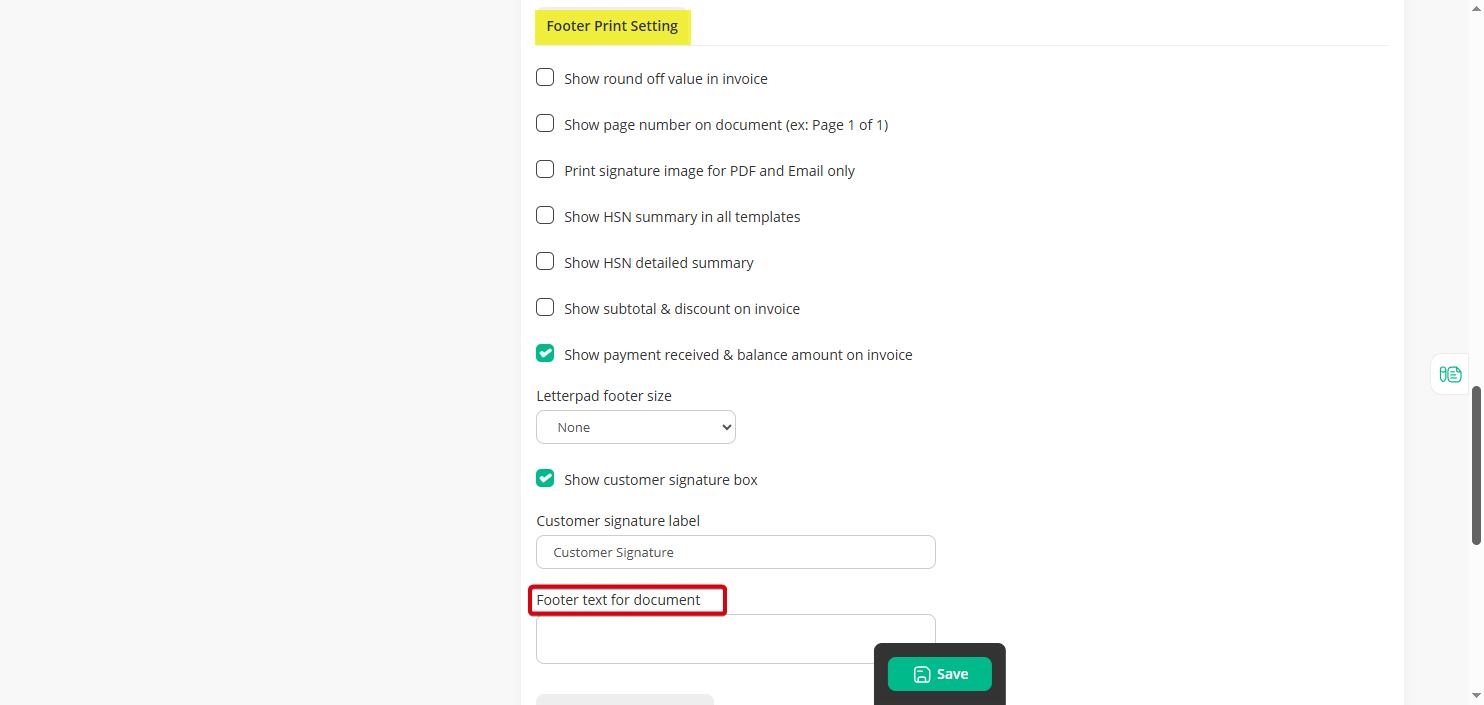
Step 4: Enter your preferred footer text (Such as Promotions and Offers, Support Information, Thank You Messages) and hit “Save”
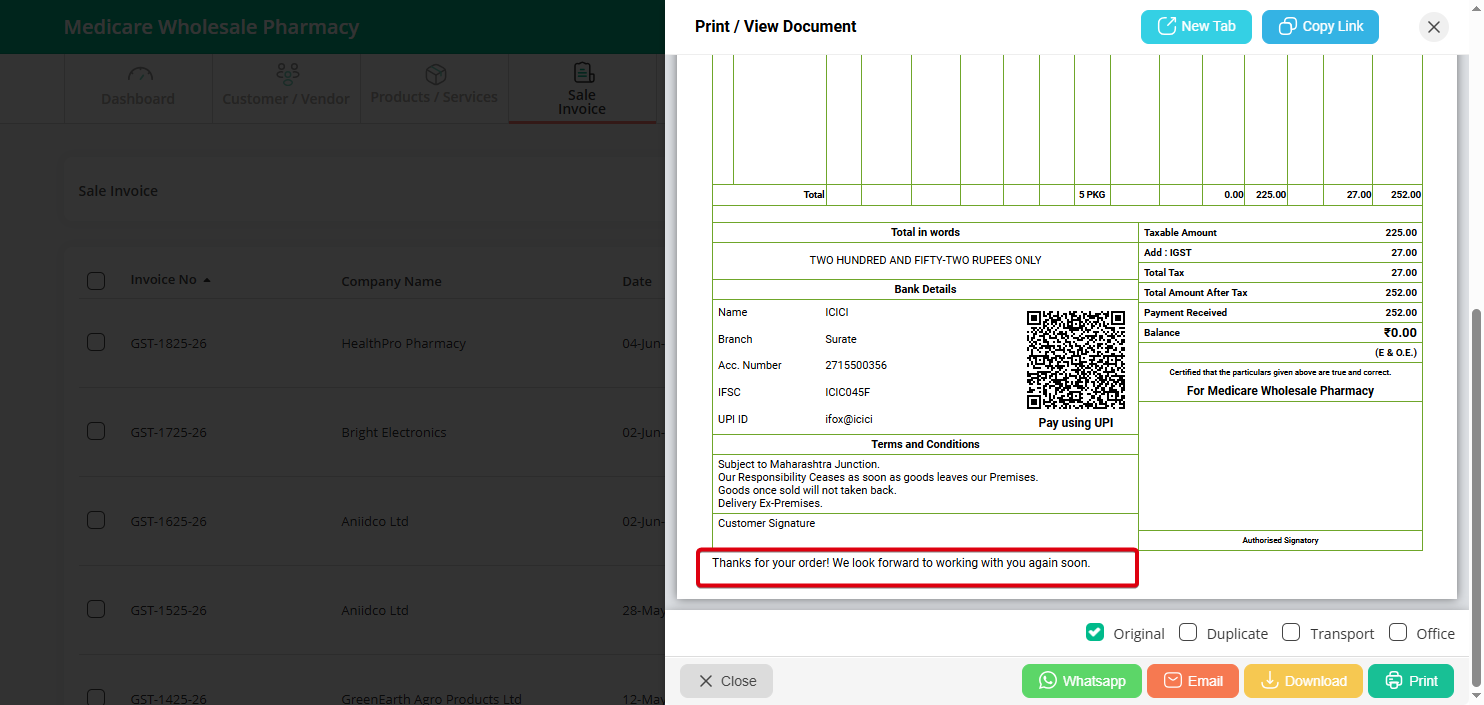
Note: Now the footer will appear at the bottom of your sales invoice when “viewed or printed.”