Go GST Bill’s GST billing software allows you to effortlessly handle member accounts, configure permissions, monitor activities, and manage access.
Staff Management and Accounting
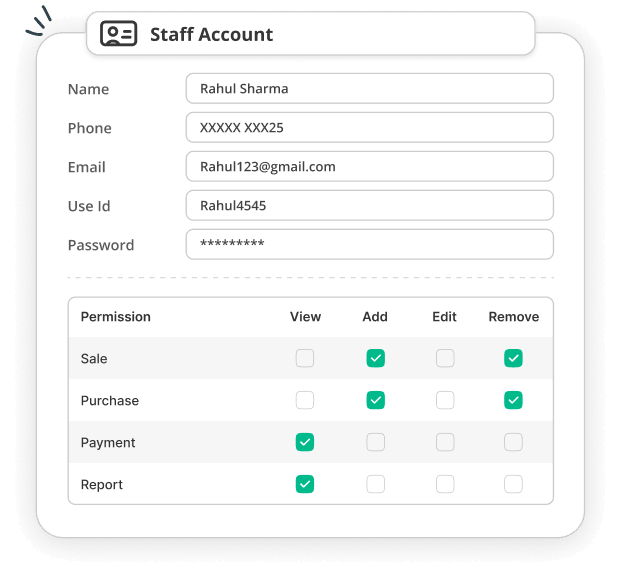
Benefits of Staff Management & Accounting
Control over staff access and the ability to monitor account activity from a single location make managing staff access easier. Manage employees’ accounts according to their roles, responsibilities, and working schedule with Go GST Bill’s GST billing software.
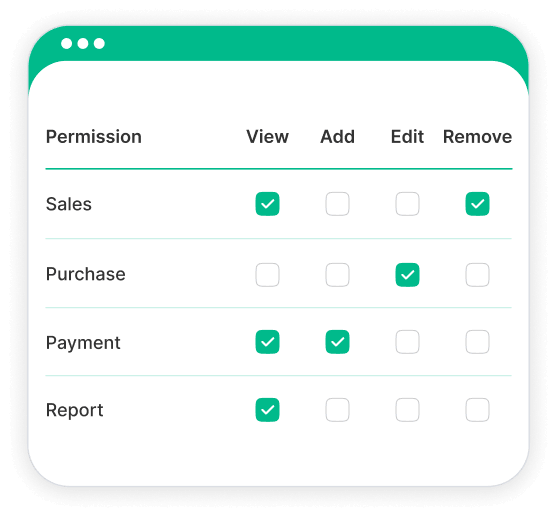
Role-Based Permissions
Allow staff access depending on job role. The visibility, addition, editing, and management of each staff member in Go GST Bill can be controlled.
Activity Tracking
Monitor your employees’ activity. See which staff member created or edited a document when you need to check an activity.

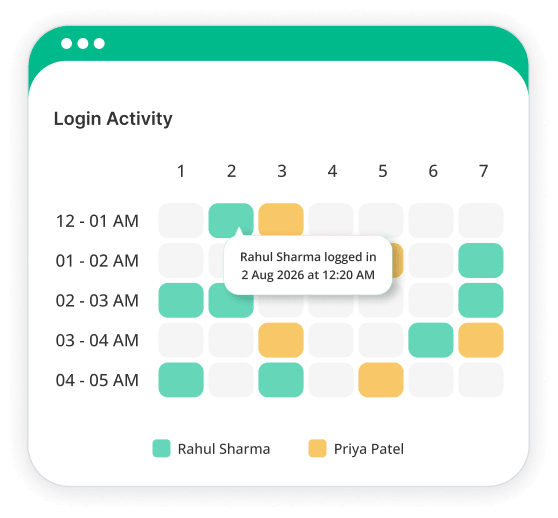
Login Tracking
Monitor access to staff accounts. Check their location, IP, time, and device info when they login.
Access Control
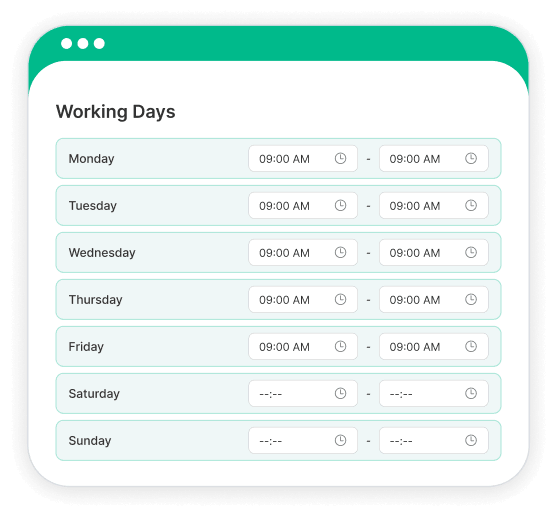
Set access based on your team’s working schedule. Where necessary, limit staff accounts to specific workdays and working hours.
Why Choose Go GST Bill?
Go GST Bill brings all your billing, invoicing, and staff management functions together in one place. It gives you the tools to manage your team while simplifying and organizing your day-to-day accounting work.
Frequently Asked Questions
1. How to set up a Staff Account in Go GST Bill?
Individual staff accounts can be added to your Go GST Bill account, and each staff member will have their own set of details and login information. Then every staff member will be able to log into their account and enjoy the features offered to them.
2. Can I Set Different Permissions for Each Staff Member?
Yes. The permissions can be set according to each staff member's role and responsibilities. This enables you to determine the features and information they will have access to.
3. What Are Role-Based Permissions?
Role-based permissions enable you to restrict users' access to the Go GST Bill based on their role. Access can be provided based on their work role rather than affording access to all staff.
4. Can I Track Which Staff Member Created or Edited a Document?
Yes. Go GST Bill allows you to monitor staff activities such as which staff member created or edited a document. That way, it's easier to identify changes by your team.
5. Can I Track Staff Login Time and Location?
Yes. Staff login details, such as when staff logged in and where staff logged in from, can be viewed. This way, you can keep track of how your accounts are being utilized.
6. Can I Restrict Staff Access to Specific Working Hours?
Yes. Working hours can be set for staff accounts, and access can be limited at times when they are not working. This provides greater control of when staff use their accounts.
7. Can I Restrict Staff Access to Specific Workdays?
Yes. Individual staff accounts can have specific workdays. Staff access can then be only given during the days you have set for them.
8. Can I Change Staff Permissions After Creating an Account?
Yes. Staff permissions may be amended as roles change. This allows you to change access without the need for re-creating a new staff account.
9. Can Multiple Staff Members Use Go GST Bill at the Same Time?
Yes. Each staff member can have their own staff account to log into Go GST Bill with their own username and password. Each staff member will have different access based on permissions given to their account.
10. Can I Manage Staff Access and Accounting From One Place?
Yes. Go GST Bill combines your regular billing and accounting with staff management. While working on your daily business operations, you can take care of staff accounts, permissions, activities, and access to your business with our GST accounting software.
Manage Your Staff Anytime, Anywhere!
Manage your staff accounts and check their activities from wherever you work. With Go GST Bill, you can keep your team access organized while managing your everyday billing and accounting tasks.