Knowledge Base

Home How to Print Shipping label

    How to Print Shipping label

    Last Updated:

    This feature is only available for Premium Users.

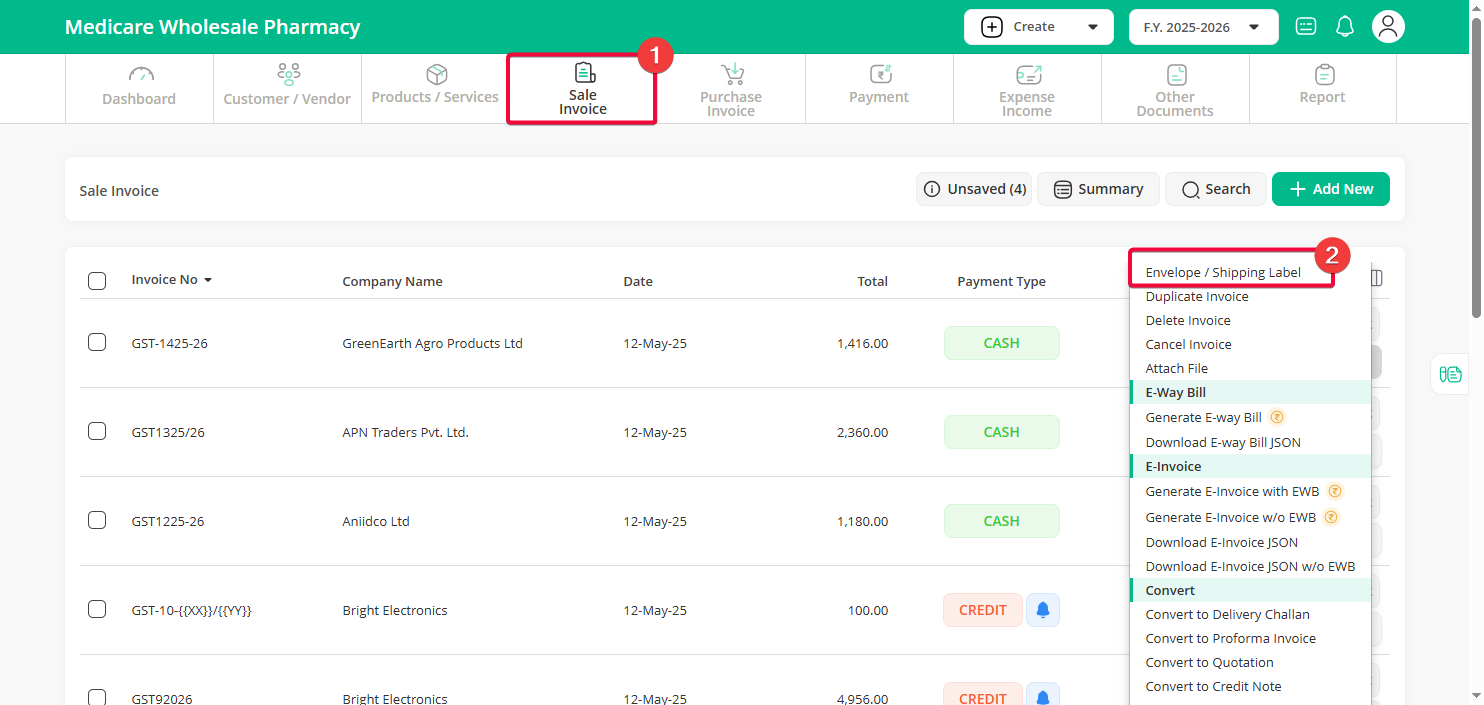
    Step 1 : Click on the Sale Invoice menu, then click on the dropdown arrow next to the Edit option and select Shipping Label.
     

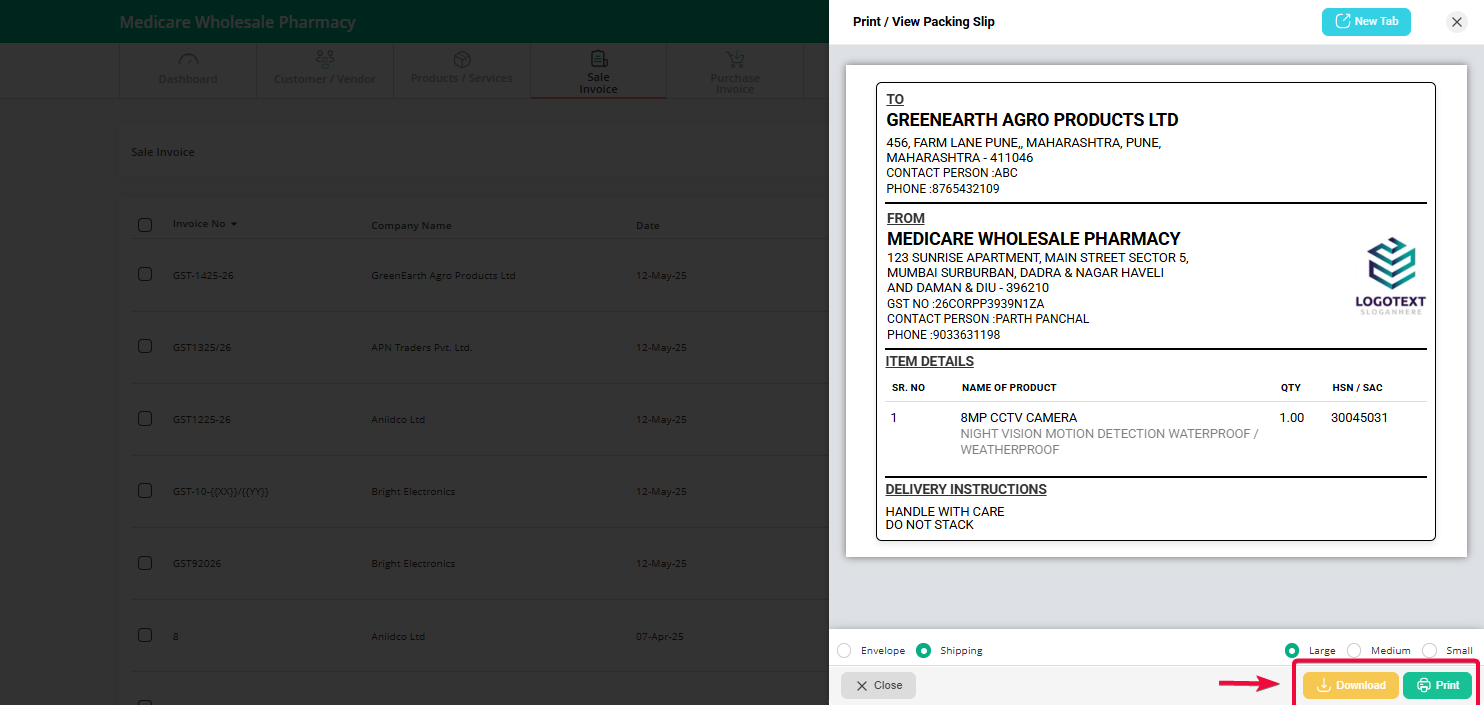
    Step 2 : Select the appropriate size, then proceed to download or print as needed.
    Can't find what you're looking for?

    Don't worry we're here to help!

    Call Us

    704-314-6478

    (10AM To 7PM - Everyday)

    +91 70431 46478

    Create Support Request

    Create Support Request

    Chat Now
    1