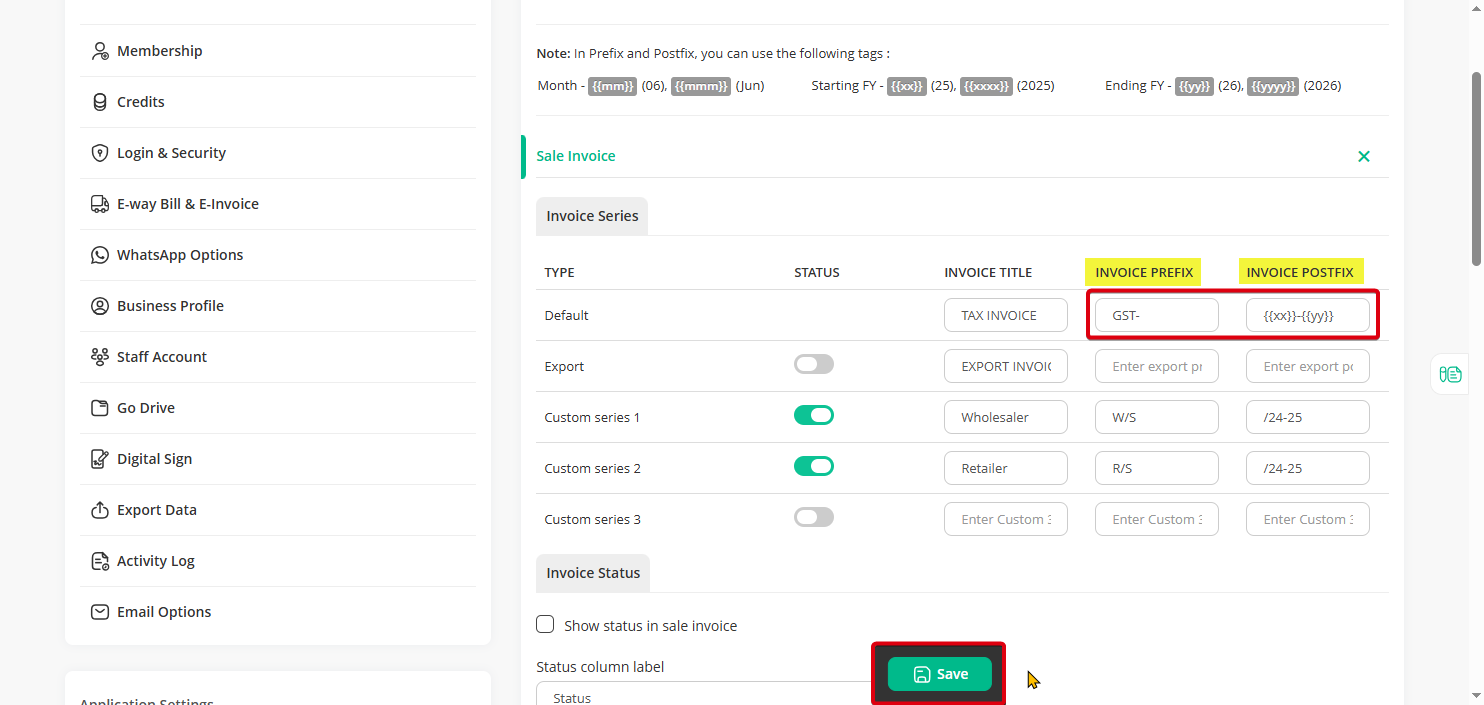
Invoice Prefix & Postfix are use to Add text value Before & after Invoice Number Like GST/##/18-19 (Where ## is Invoice Number)
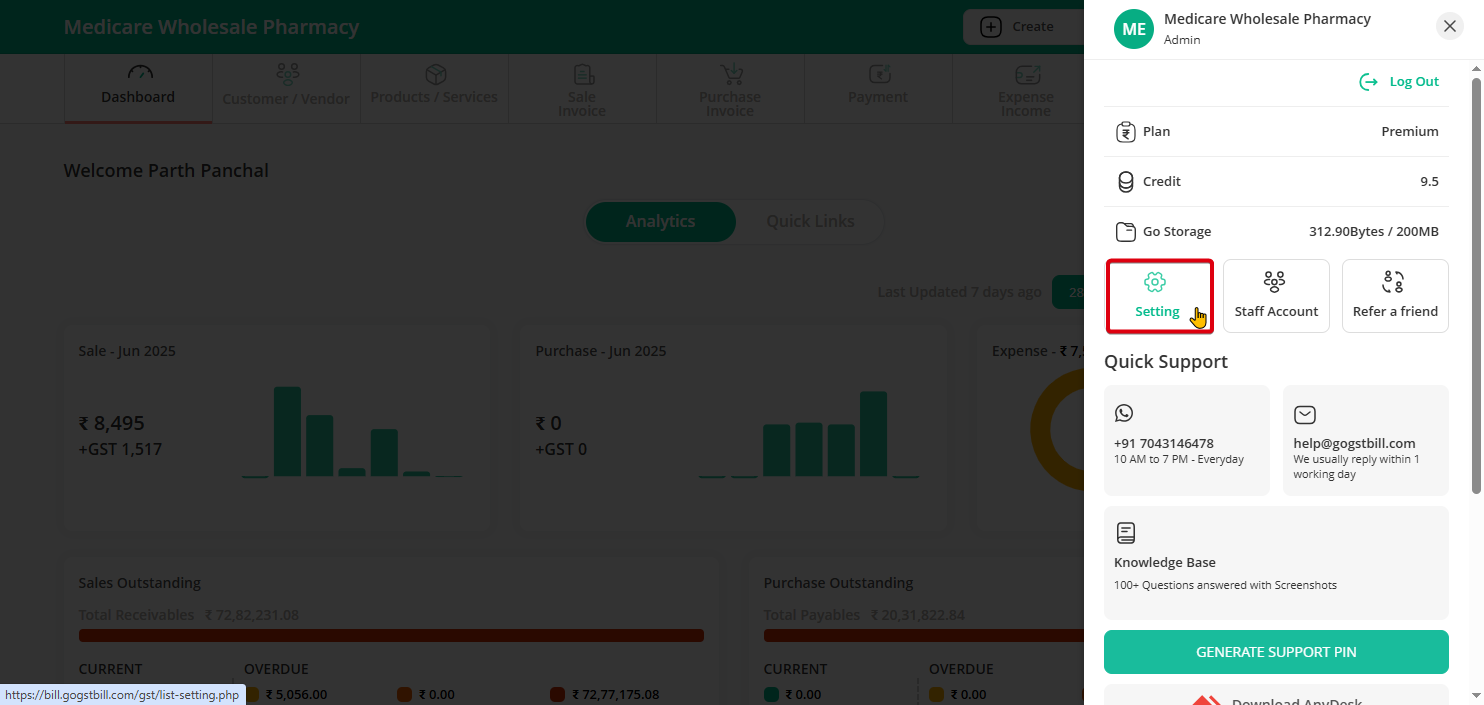
Step 1: Click on the profile icon in the top right corner and select “Setting” from the menu.
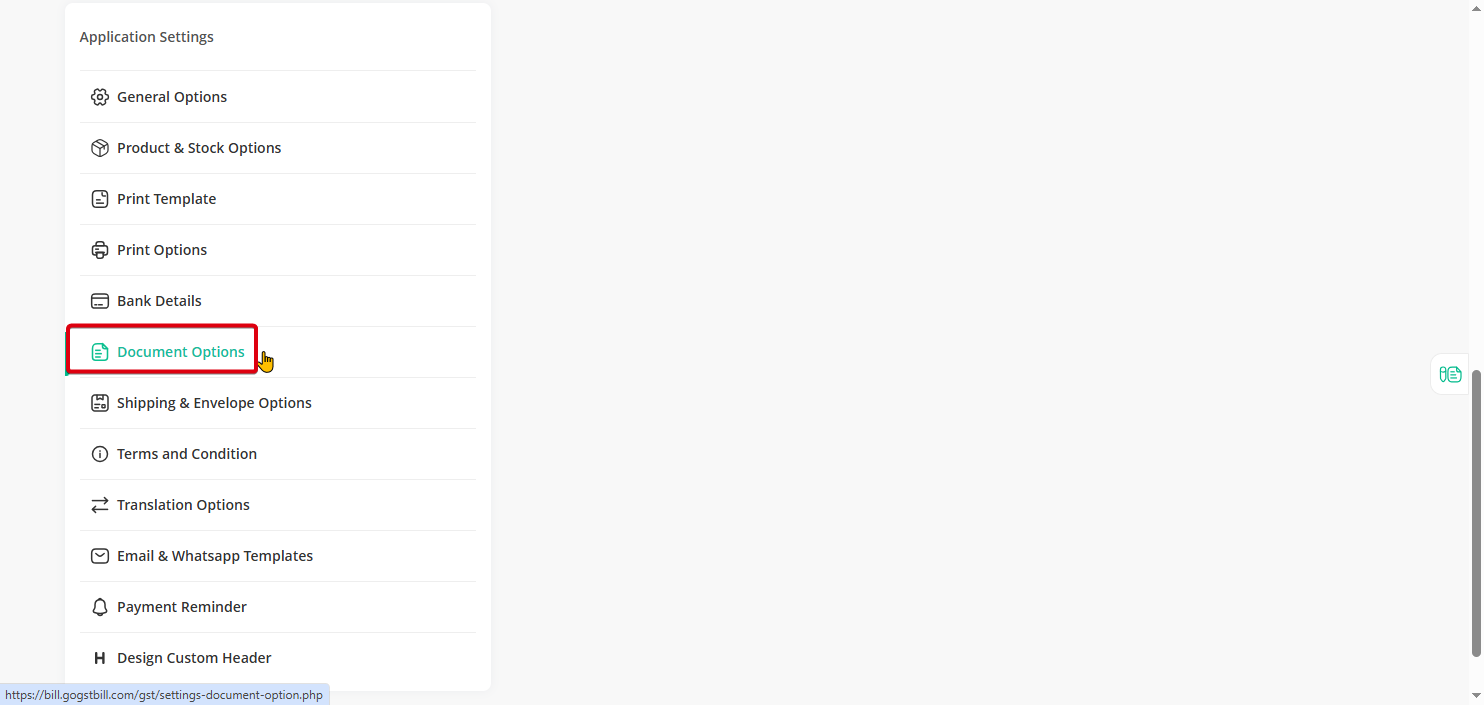
Step 2: Go to the “Document” section.
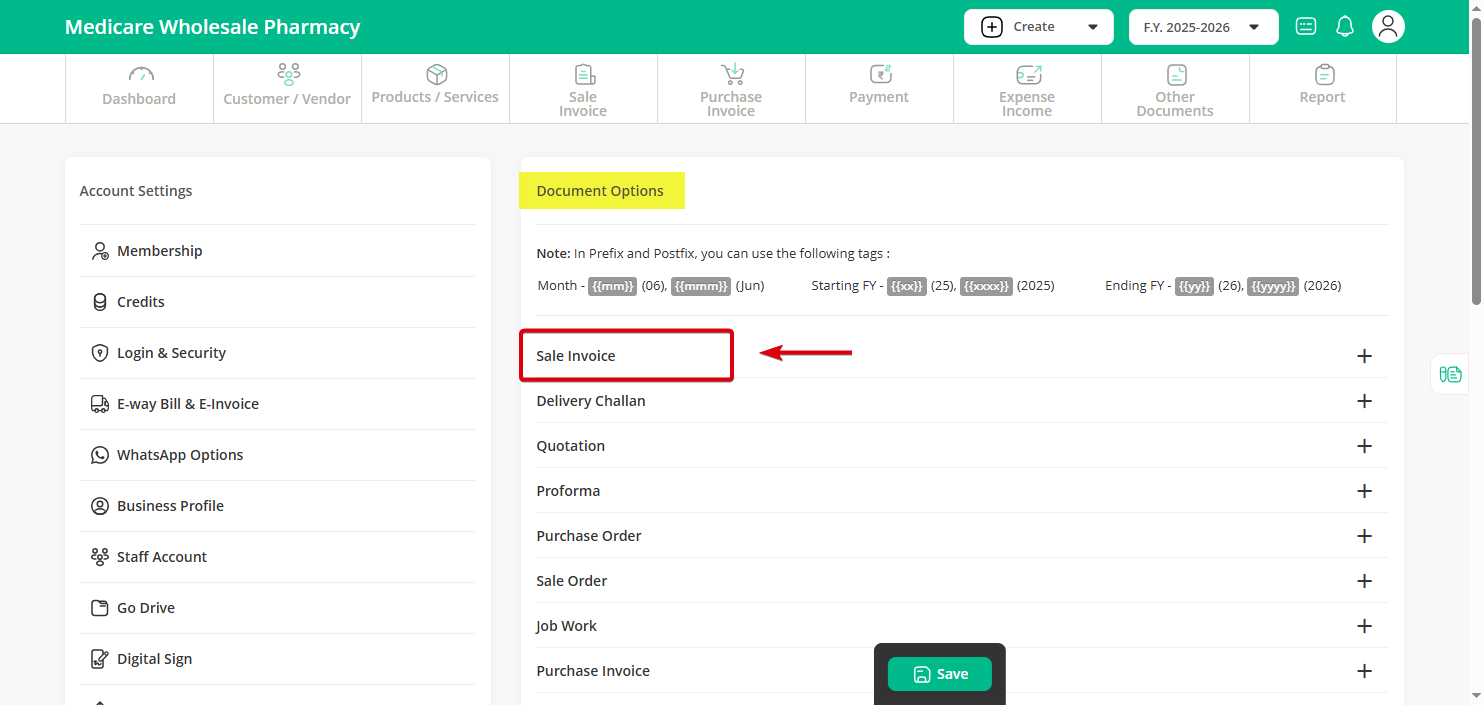
Step 3: Click on the “Sale Invoice” option.
Step 4: In the fields provided, enter your desired prefix (e.g., “GST/”) and postfix (e.g., “/18-19”).
Once done, click the “Save” button to apply your changes.