This feature is only available for premium subscribers.
Follow the steps below to print your invoice in A5 size.
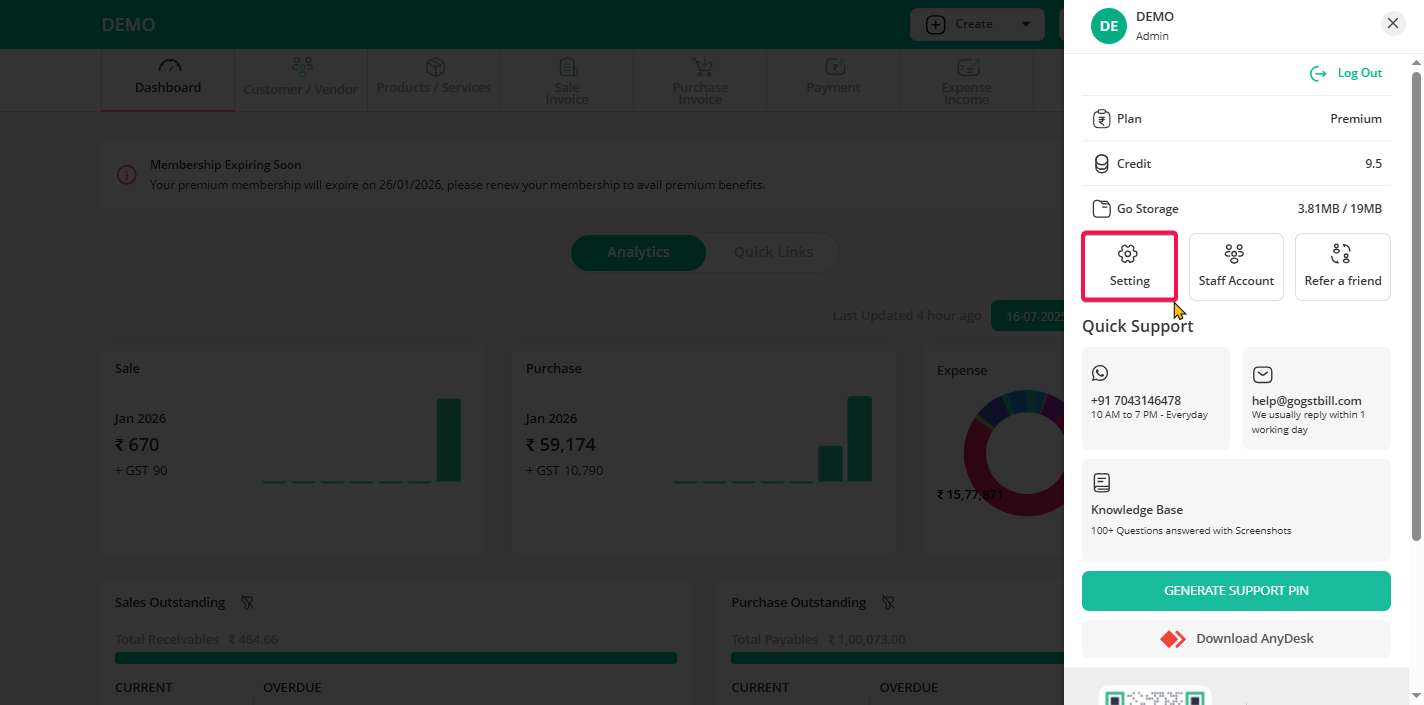
Step 1: Click on the user profile icon from the top-right bar and then click on the “Settings” option.
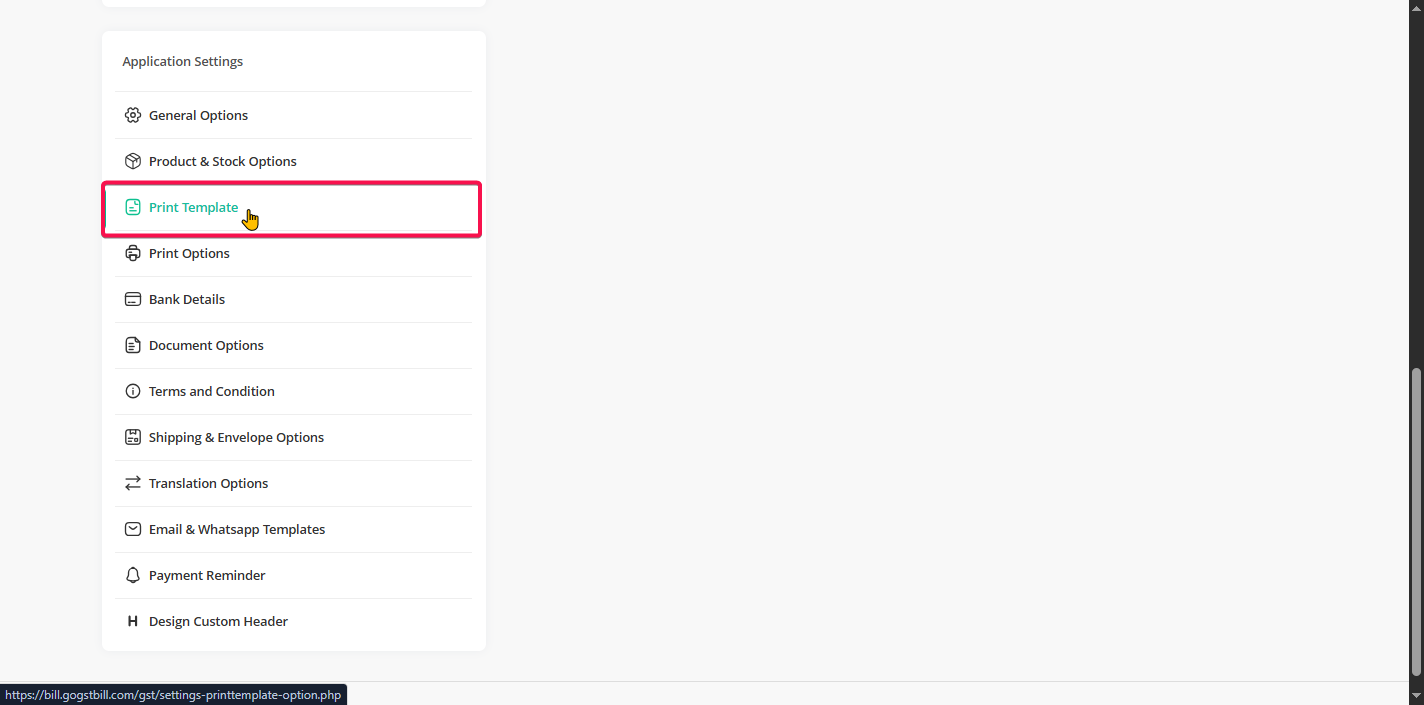
Step 2: Click on the “Print Template” option.
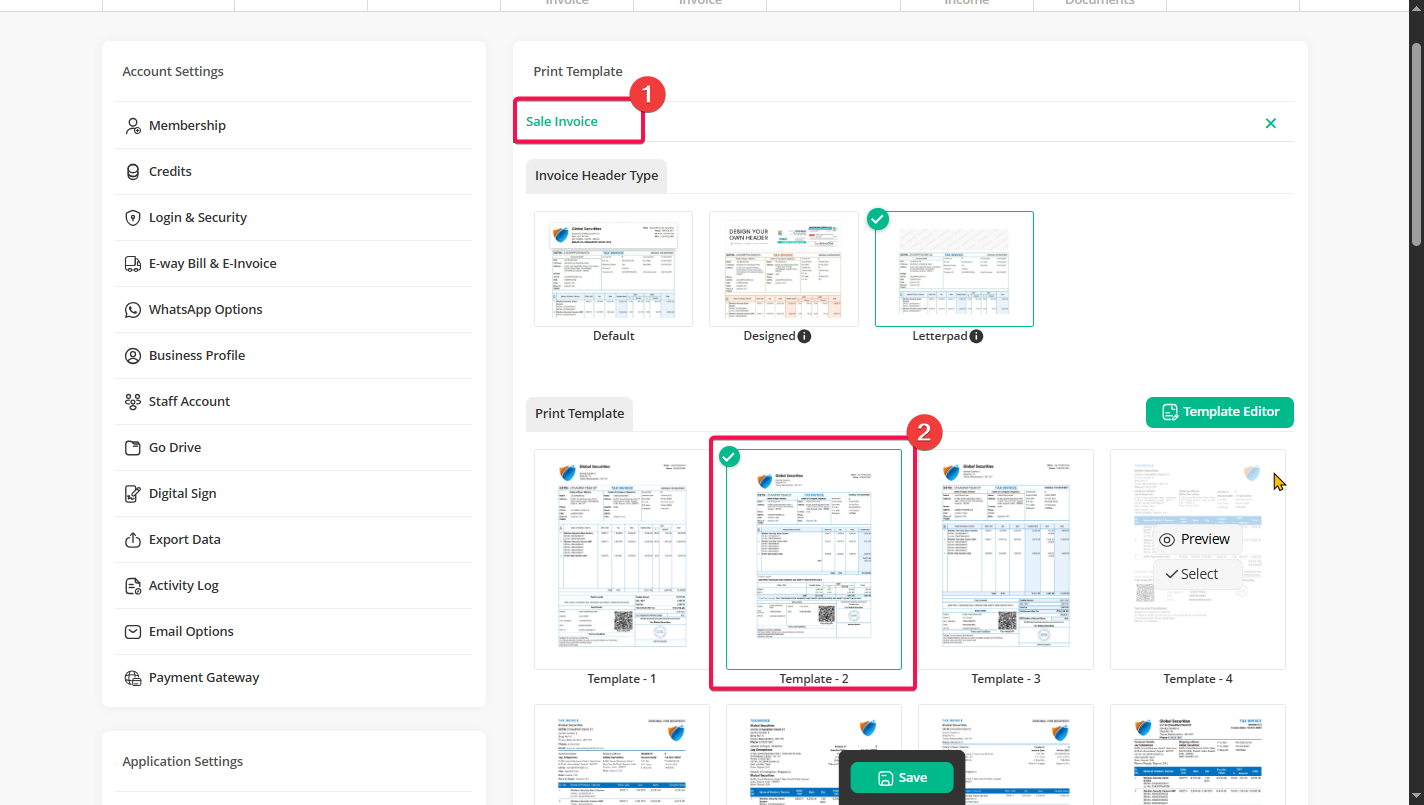
Step 3: Click on the “Sale Invoice” option and select any invoice template from the list.
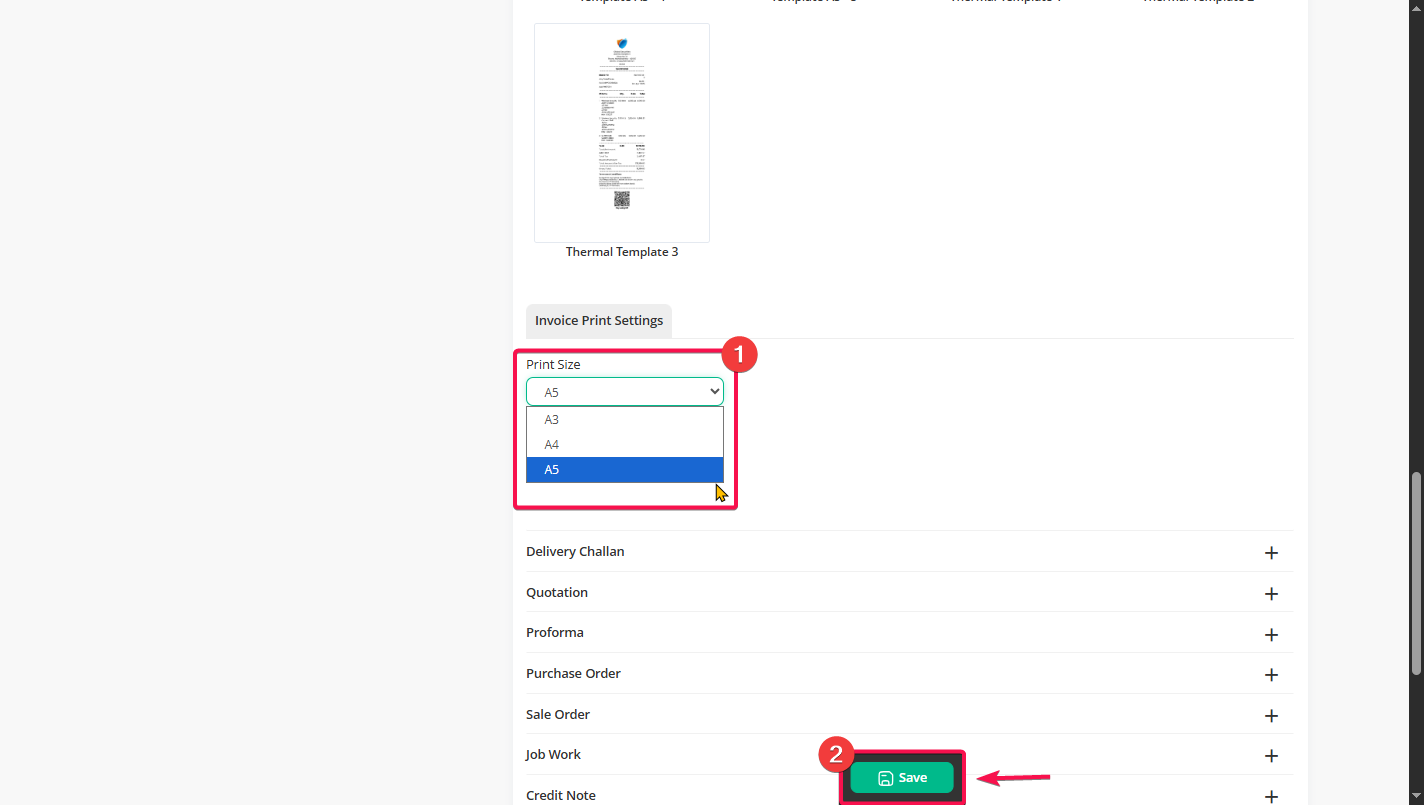
Step 4: Scroll down, select the A5 size to convert the selected template from A4 to A5, and then click on the “Save” button.