A packing list is an important document that goes along with your invoice during deliveries. It clearly lists out everything that’s packed and ready to be shipped — including item names, quantity, weight, and packaging details.
This helps transporters, warehouse teams, and even your customer quickly check what’s inside the package without opening it. It’s especially useful during exports, logistics handovers, or when multiple boxes are involved.
With Go GST Bill, you don’t need to create it from scratch. Just select the invoice, and your packing list will be ready in seconds — with all details auto-filled.
Method 1: Create from Other Documents:
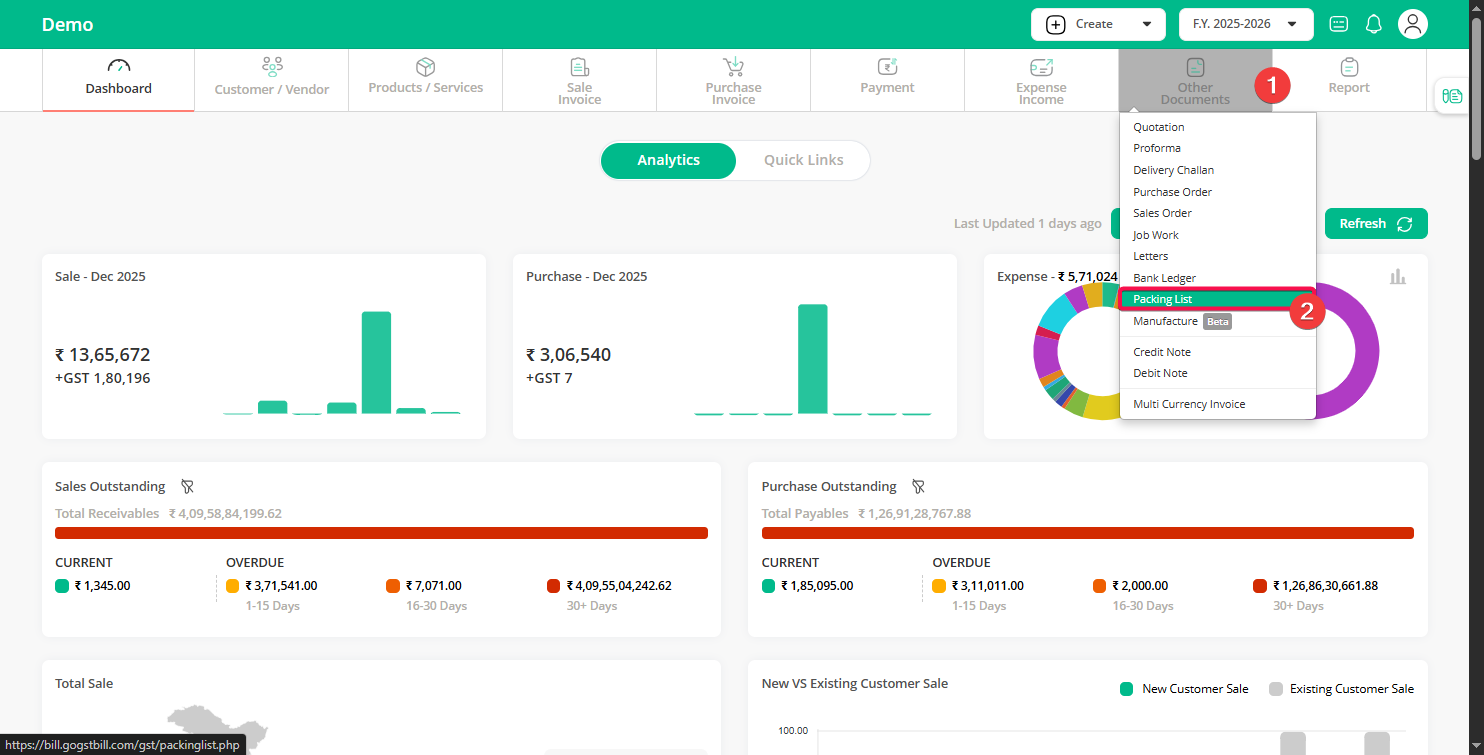
Step 1: Go to the “Dashboard”, click on “Other Documents”, and then click on the “Packing List” option.
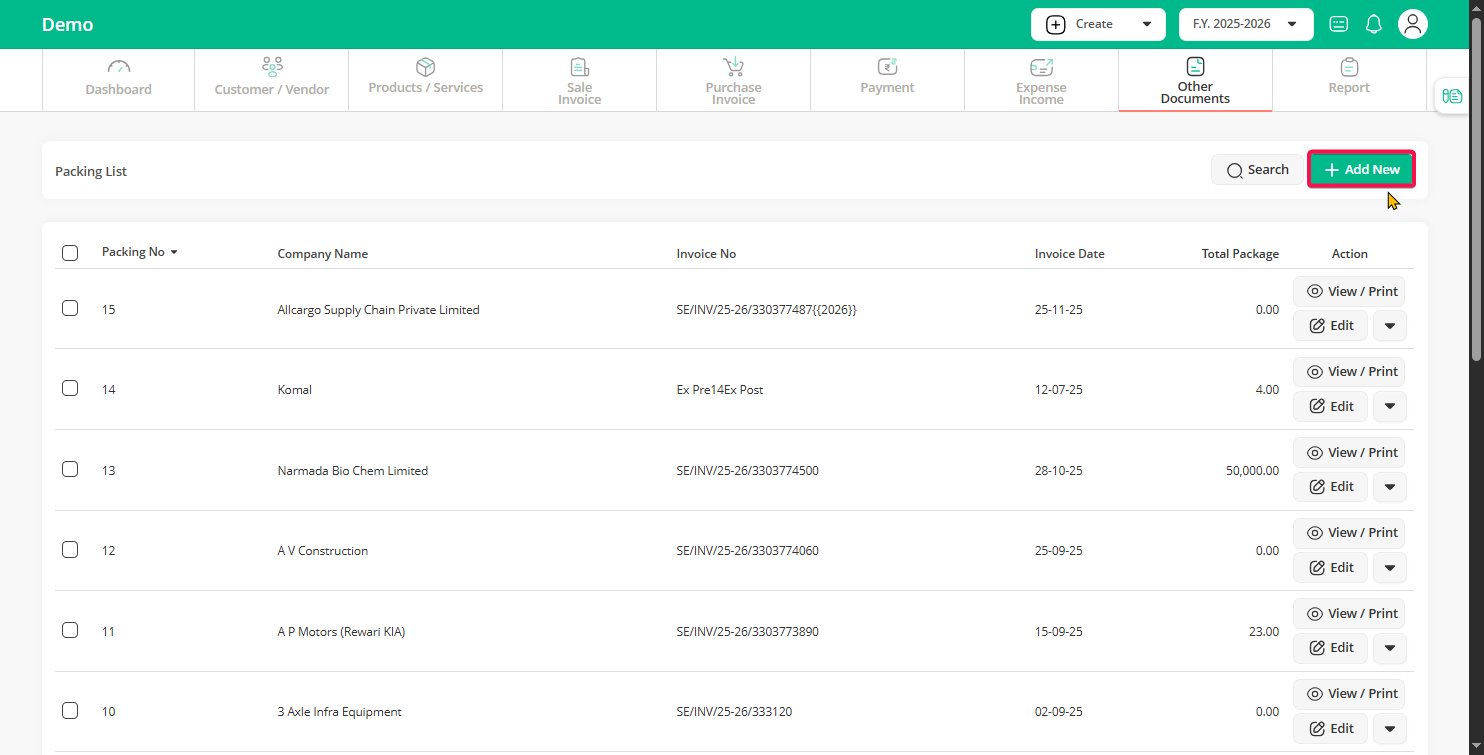
Step 2: Click on the “Add New” button.
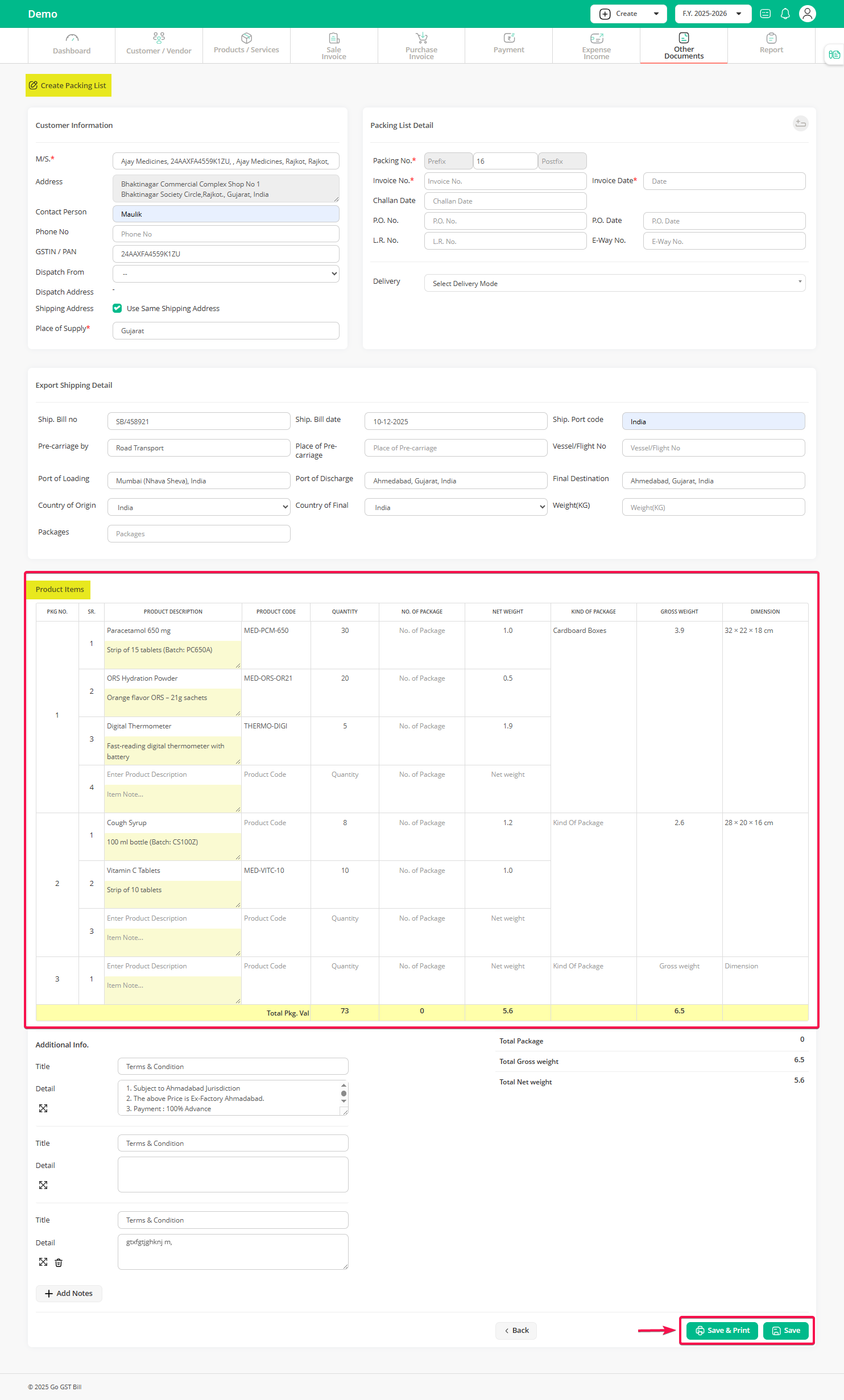
Step 3: Select the customer and choose the invoice for which you want to create a packing list. All products from the selected invoice will be filled in automatically.
Click on the “+” icon to add a new package. First, add all the packages you have.
After adding the packages, select the product and quantity for each package. Then enter the gross weight and dimensions for every package. Repeat the same steps until all packages are completed.
Once everything looks correct, click the “Save” button.
Method 2: Convert sale invoice to packing list (Quick method)
If you already created a sale invoice and want to convert it directly:
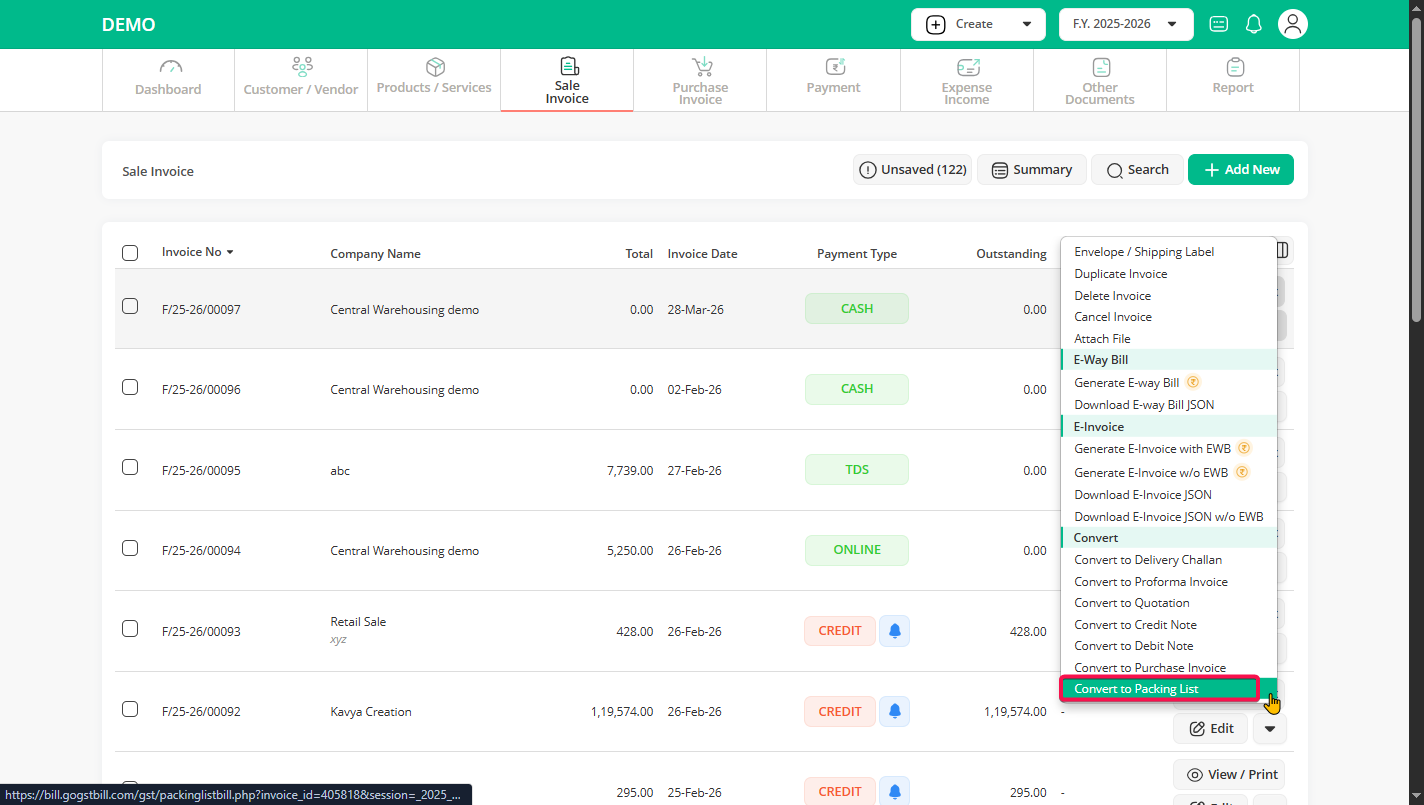
Step 1: Go to the “Sale Invoice” section and open the invoice you want to convert. Click the arrow beside the “Edit” option.
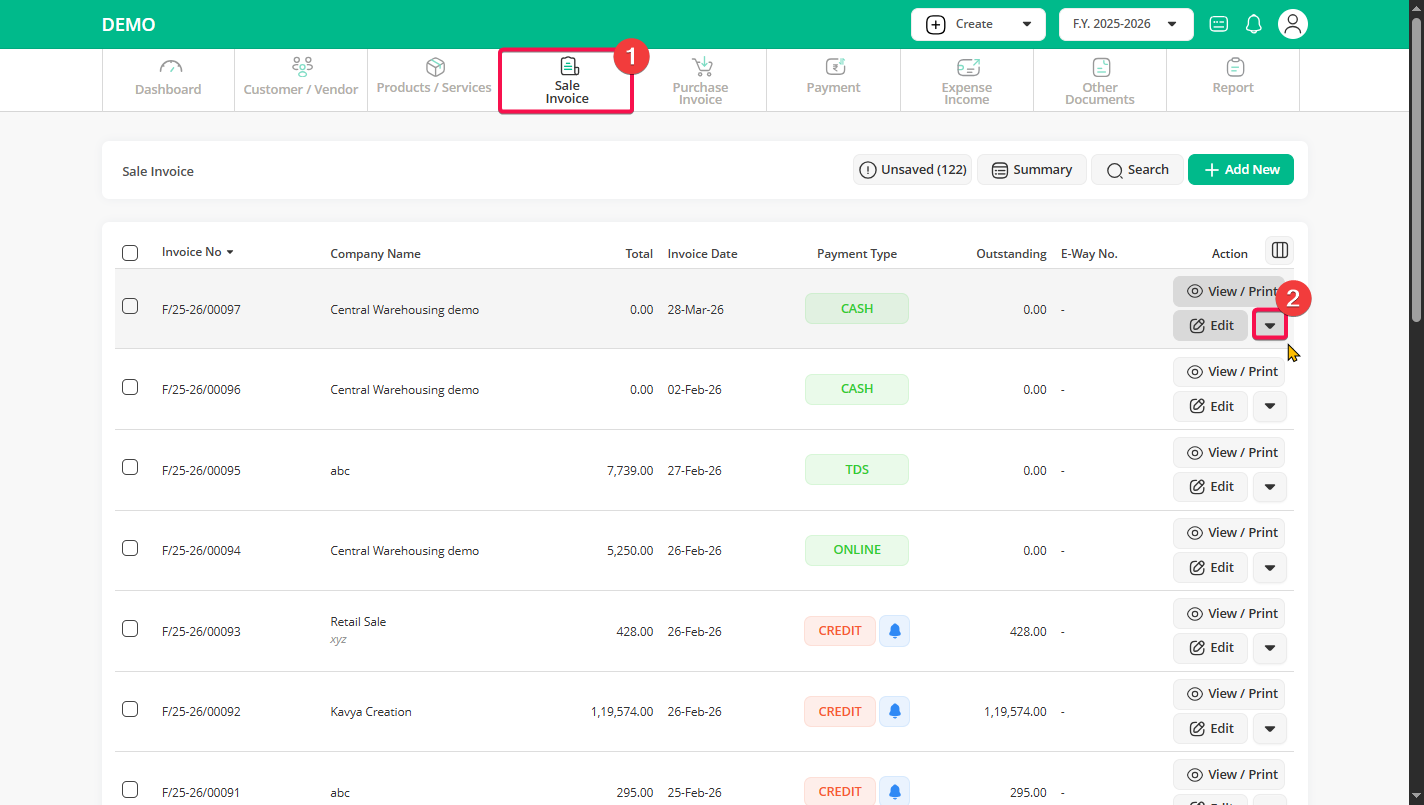
Step 2: Select “Convert to Packing List”.
Step 3: Make required changes if needed and click on the “Save” button.
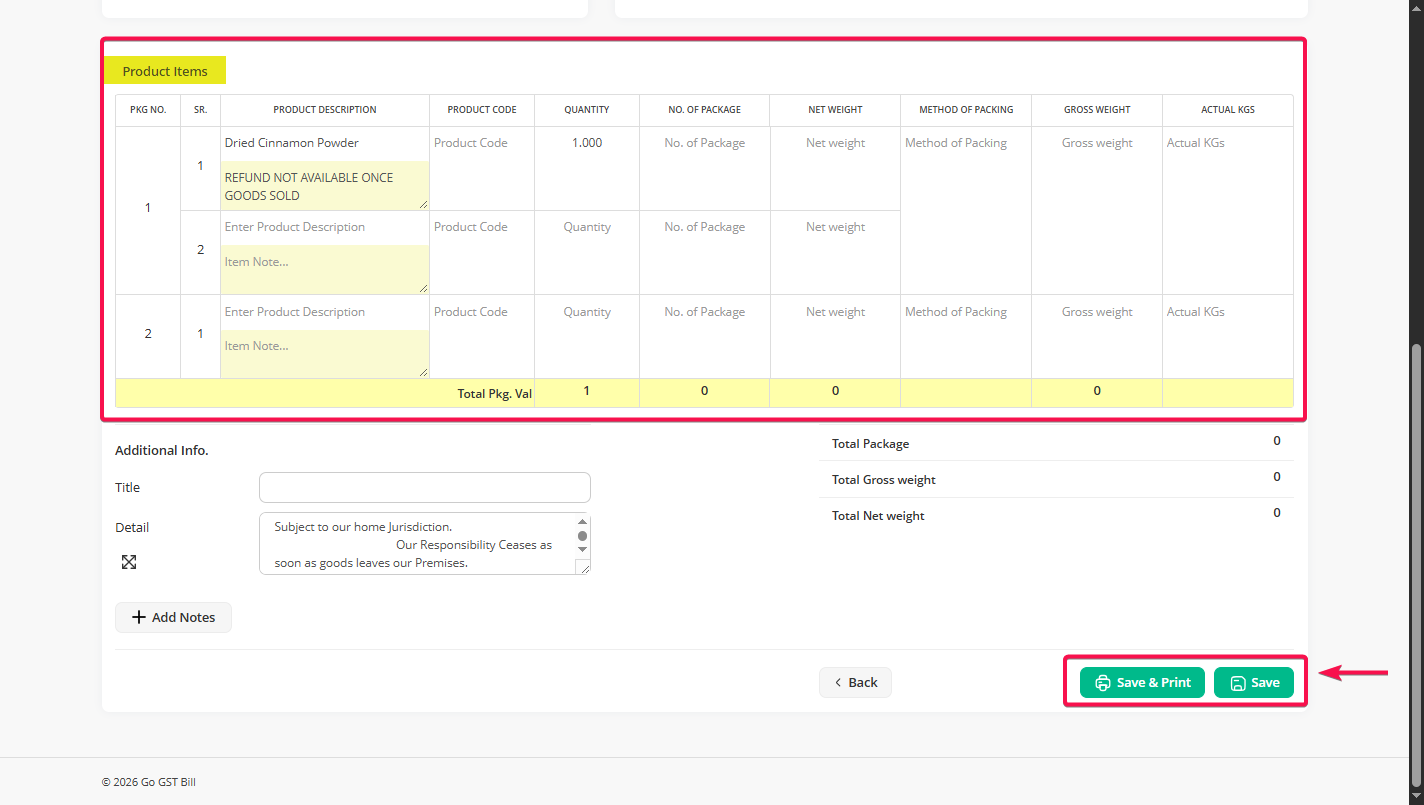
That’s it. Your sale invoice is now converted into a packing list.