*This feature is only available for Premium users.
Please follow the steps below to create Outward Payment Report.
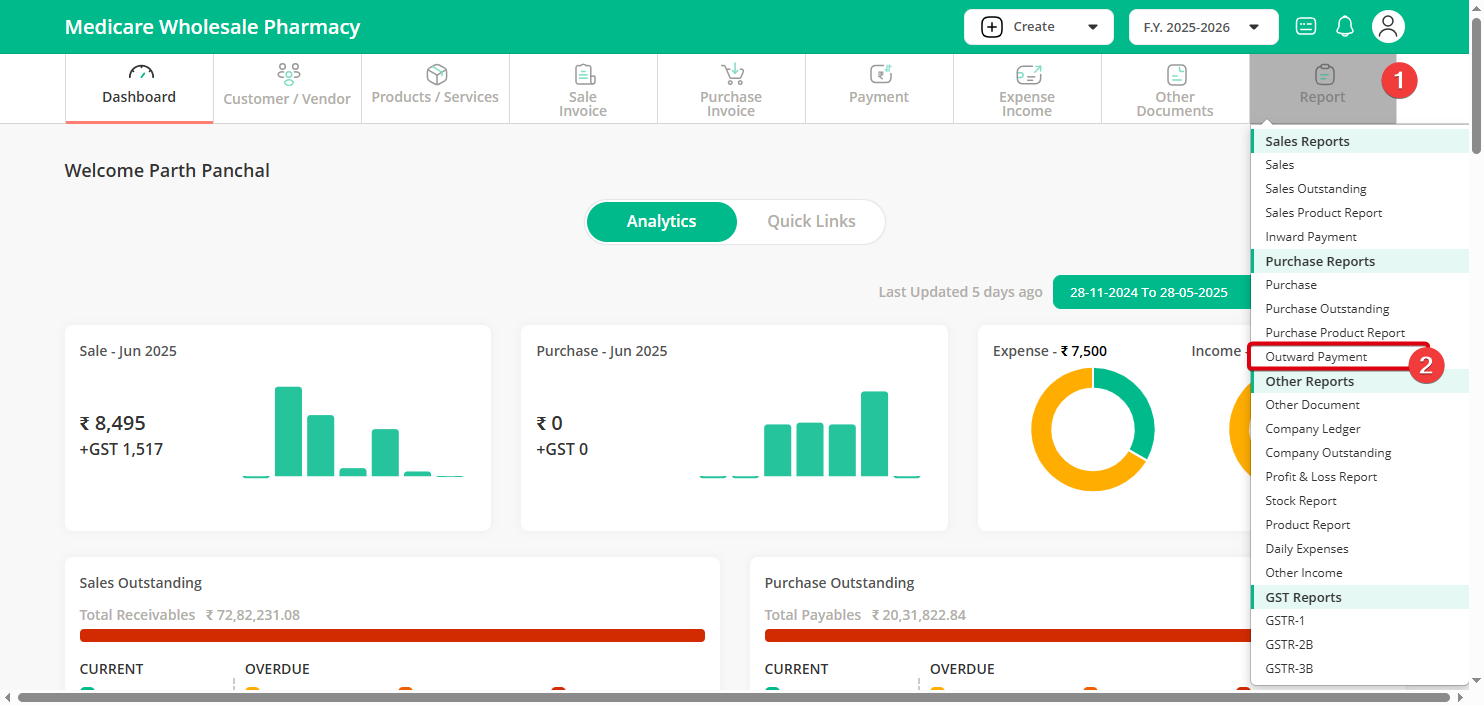
Step 1 : Click on Reports menu & select Outward Payment sub menu.
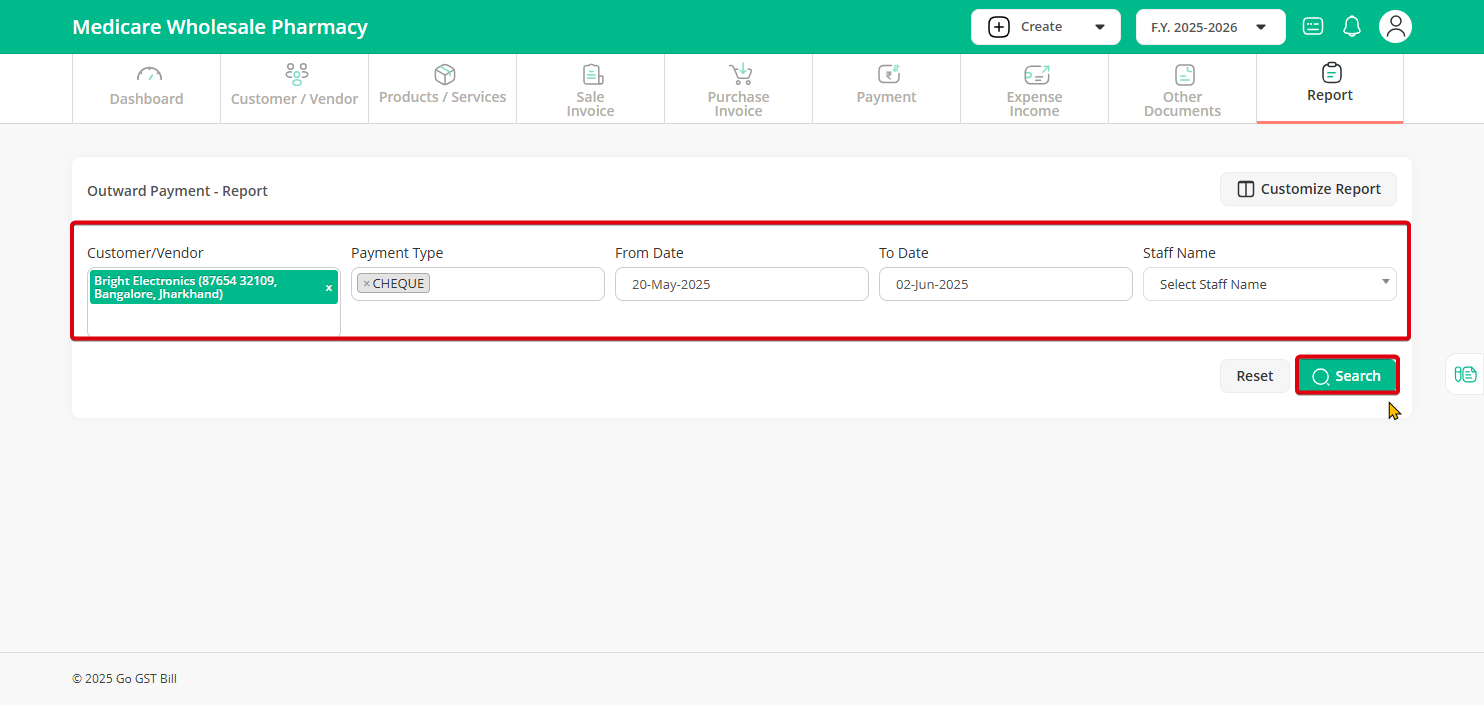
Step 2 : Select the Vendor’s name or all customer as per your choice then select the payment type if want to search for a specific type of payment then select from date and till date and click on search button
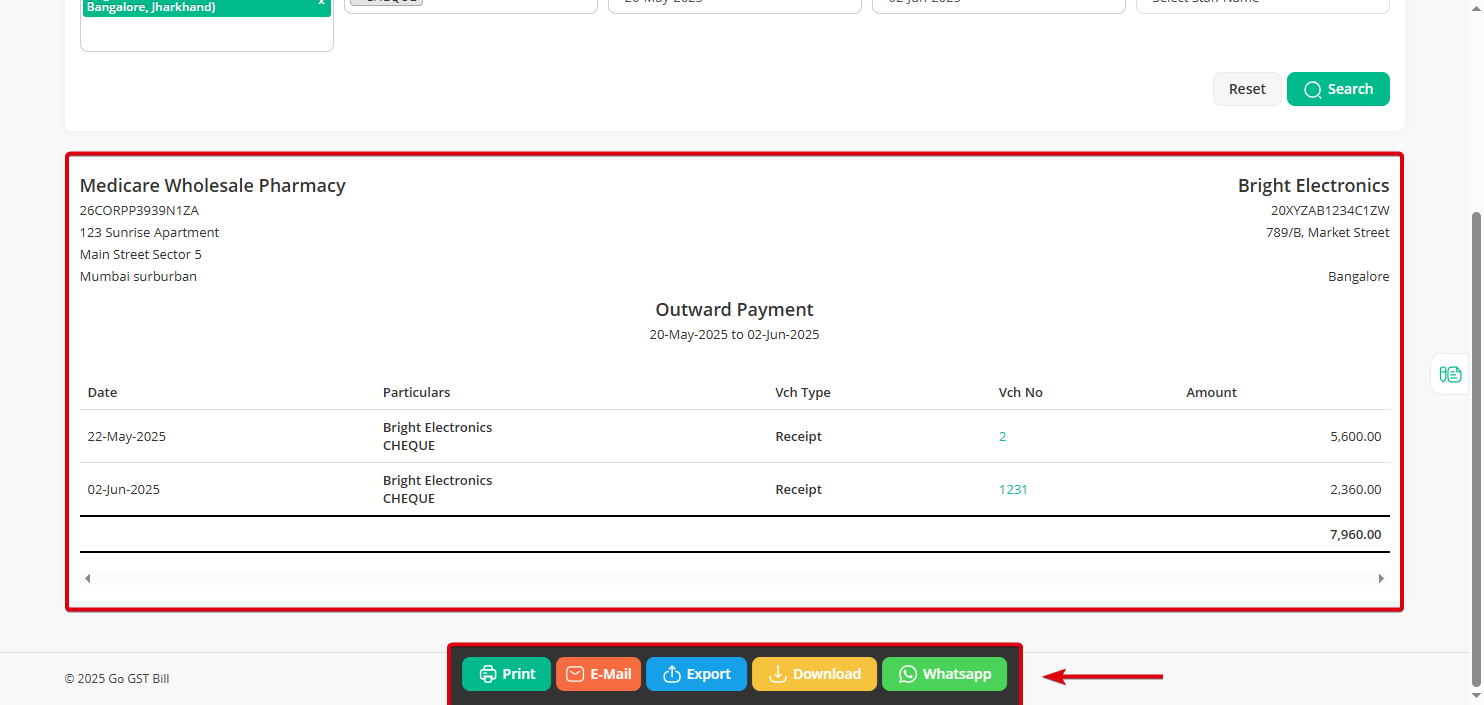
Step 3 : After Search Button is Clicked you can see the Search Result here,You can Print/Download/Export/Send Mail with the below options