

Managing GST-related tasks does not have to be complicated. GST Tools from Go GST Bill help you calculate GST, search GSTIN details, and find HSN codes online, all in one place.
GST Tools for Everyday Business Tasks
Why Choose Our GST Tools?
Make everyday GST tasks simpler with tools designed for quick, practical use. Go GST Bill brings essential GST utilities together for businesses across India.
Create Professional GST Invoices for FREE with Go GST Bill
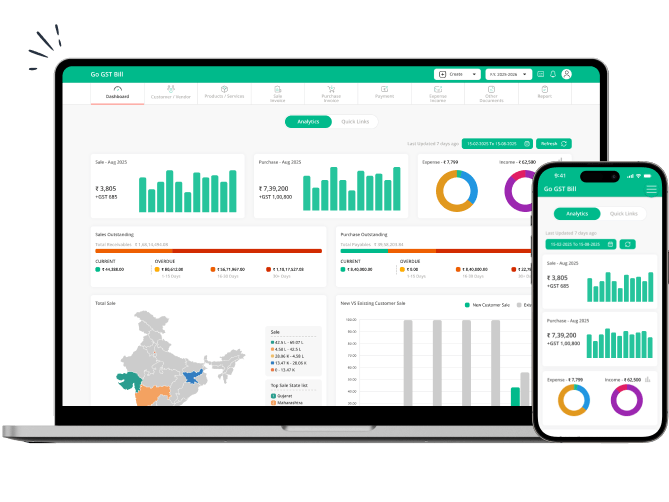
Create professional GST invoices while managing your billing and business requirements with useful features such as:
GST Tools Designed for Different Businesses
Go GST Bill brings essential GST tools together for businesses of different sizes and types. Whether you manage retail sales, manufacturing, services, or accounting, you can use these tools for everyday GST tasks.
FAQ About GST Tools
1. What are GST tools?
GST tools are online utilities that help businesses handle common GST-related tasks more easily. Depending on the tool, you can:
- Calculate GST amounts
- Search GSTIN details
- Find HSN codes
- Check tax-related information
These tools reduce manual work and help you access important GST information quickly.
2. What GST tools are available on Go GST Bill?
Go GST Bill provides tools for some of the most common GST requirements:
- GST Calculator: Calculate GST and total transaction amounts.
- GST Number Search: Search and verify available GSTIN details.
- HSN Code Finder: Find relevant HSN codes and GST information.
You can access these tools online according to your business requirements.
3. How does a GST calculator help businesses?
A GST calculator helps you determine the tax amount and final transaction value without doing the calculations manually. It can be useful when:
- Preparing quotations
- Checking invoice amounts
- Calculating GST on sales
- Verifying tax calculations
This makes routine GST calculations quicker and easier.
4. Can I search for a GST number online?
Yes. You can use the GST Number Search tool to check information associated with a GSTIN. Enter the GST number and review the available details.
This can be useful when:
- Checking a customer's GSTIN
- Verifying supplier information
- Reviewing registration details
- Checking GST-related business information
5. What is an HSN Code Finder?
An HSN Code Finder helps you identify the appropriate HSN code for a product. HSN codes classify goods for GST purposes and are commonly used while preparing invoices.
You can use the tool to:
- Find an appropriate HSN code
- Search product classifications
- Check related GST information
- Make product billing more accurate
6. Can I use GST tools for my small business?
Yes. GST tools can be useful for small businesses that regularly calculate taxes, verify GSTIN details, or identify HSN codes. They can reduce repetitive manual work and make routine GST tasks easier.
If you also need regular invoicing and billing features, you can use GST Billing Software to manage your day-to-day billing requirements.
7. Can I create GST invoices after using these tools?
Yes. These tools can help you calculate tax or find relevant information before creating an invoice.
For regular invoicing, Go GST Bill allows you to create professional GST invoices and manage your billing requirements. You can also use the GST Billing App when you want to handle billing tasks from your mobile device.
8. Can I add customers using their GSTIN?
Yes. You can add customers using GSTIN when creating or managing customer records. Using the GSTIN can reduce manual data entry and make it easier to maintain accurate customer information.
This can be particularly useful when:
- Adding business customers
- Creating GST invoices
- Maintaining customer records
- Checking GST-related details
9. Are GST tools useful for checking HSN codes before invoicing?
Yes. Checking the HSN code before creating an invoice can help you classify products correctly and apply relevant GST information.
Using the HSN Code Finder before billing can help you:
- Identify the relevant product code
- Check associated GST information
- Reduce errors during invoice preparation
- Maintain more accurate product records
10. Are these GST tools free to use?
The GST tools available through Go GST Bill provide convenient online access to common GST-related tasks. You can use the relevant tool according to your requirement without adding complicated steps to your workflow.
If you need a complete billing solution with additional features, you can also check the pricing options available for Go GST Bill.
11. Do I need to install an app to use GST tools?
No. The online GST tools can be accessed through a web browser. You do not need to install additional software to calculate GST, search GSTIN details, or find HSN codes.
If you want to manage your complete billing process from your smartphone, you can use the GST Billing App for mobile-based billing activities.
Simplify Your GST Tasks with Go GST Bill
Make everyday GST tasks easier with simple online tools and a complete billing solution. Calculate GST, search GSTIN details, find HSN codes, and manage your business billing from one place.
With Go GST Bill, you can also create professional invoices, manage customers, and handle your regular billing requirements without complicated processes.
