From February 1, 2026, GST rules have changed for pan masala and specified tobacco & nicotine products. For these notified products, GST must be calculated on the MRP (Retail Sale Price) instead of the selling price.
– By default, Go GST Bill calculates GST on the sell price. To comply with the new rule, users must enable the GST on MRP option for applicable products.
How GST Calculation Works Now
How to Enable GST on MRP in Go GST Bill
Follow these steps to ensure GST is calculated correctly on MRP for notified products:
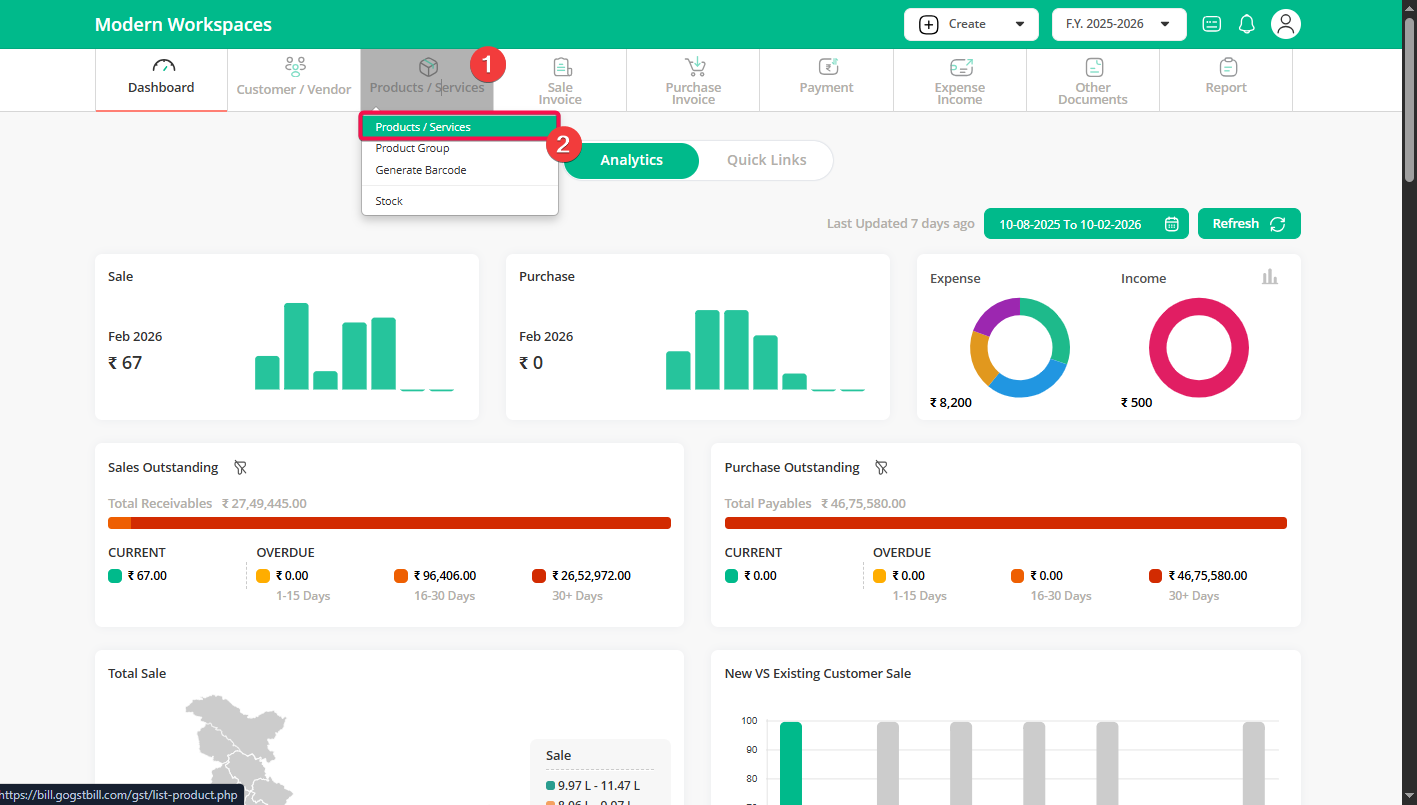
Step 1: From your dashboard, click on Products / Services to view your product list.
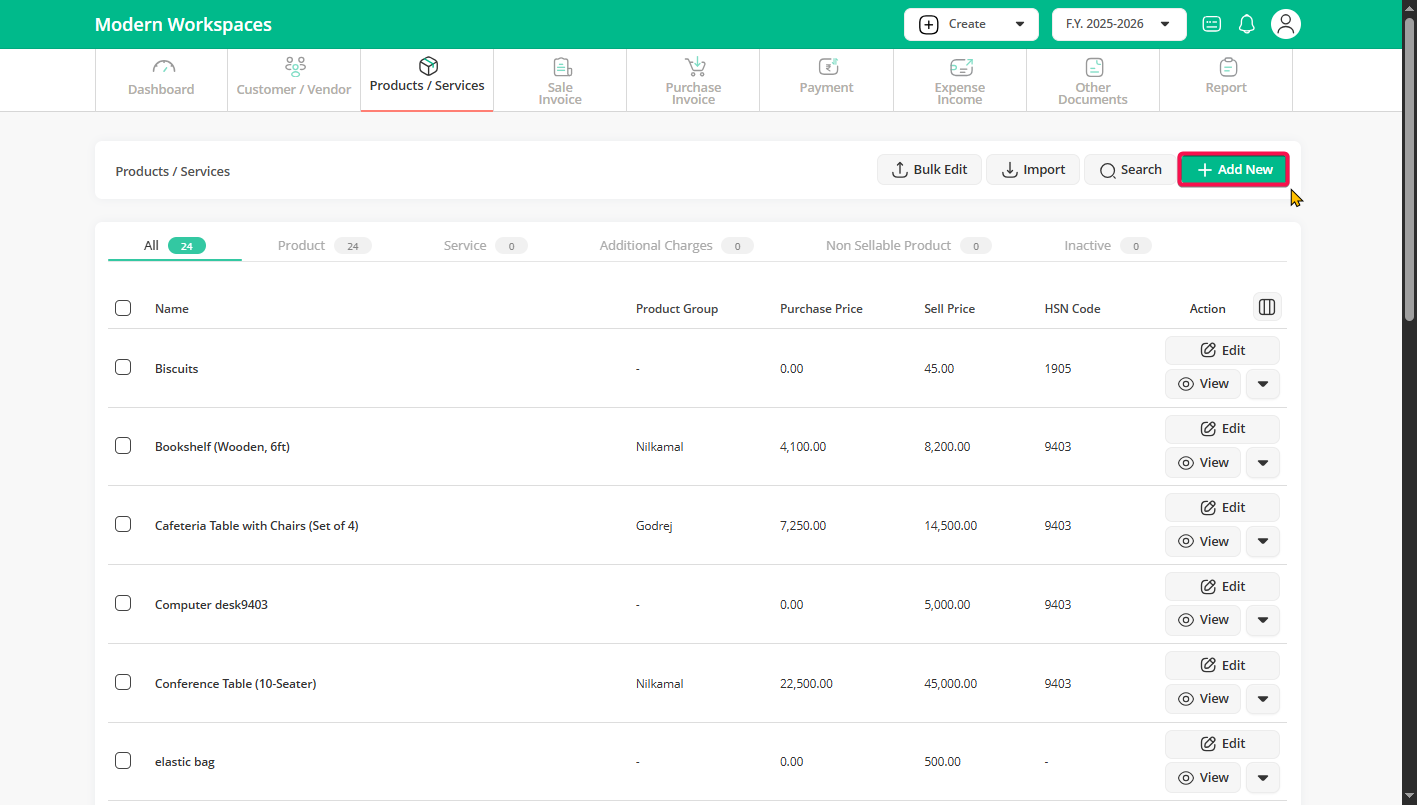
Step 2: Click Add New to create a product or select an existing product to edit.
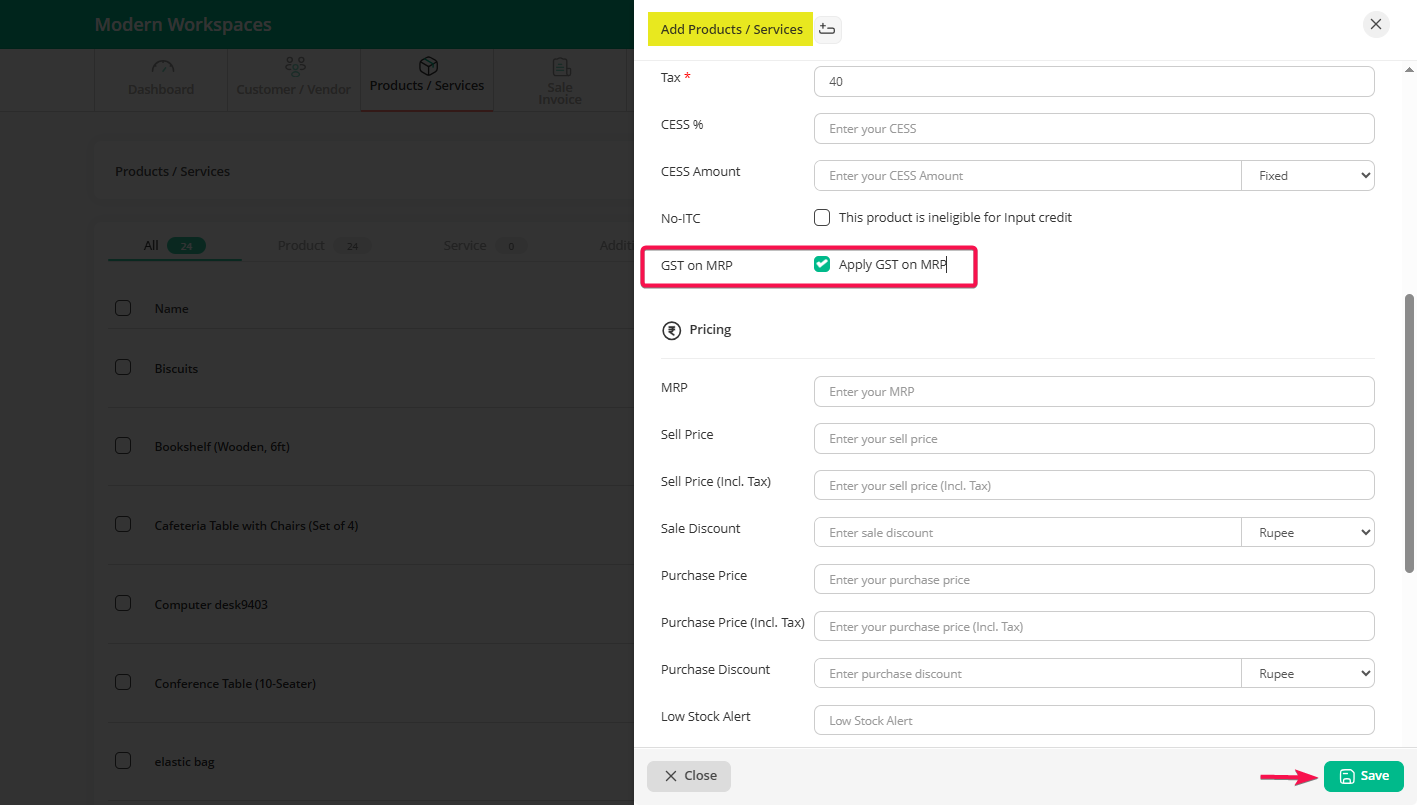
Step 3: If the MRP custom field is enabled, the “Apply GST on MRP” option will appear—tick it for applicable products and click Save.
Note: If the MRP column is not enabled, enable it from the “Custom Column” option above.
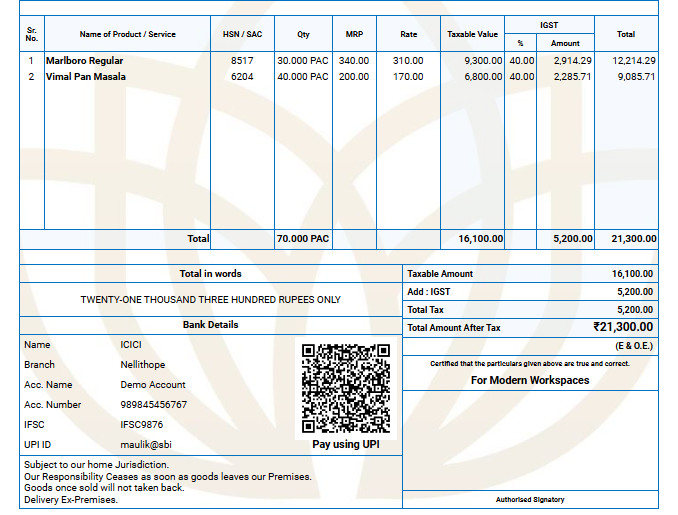
Step 4: When creating invoices for this product, GST will now be calculated on the MRP instead of the sell price.
Note:
- “Apply GST on MRP” option is per product, not global.
- Only enable “Apply GST on MRP” for pan masala and notified tobacco/nicotine products.
- For all other products, GST will continue to be calculated on the sell price.