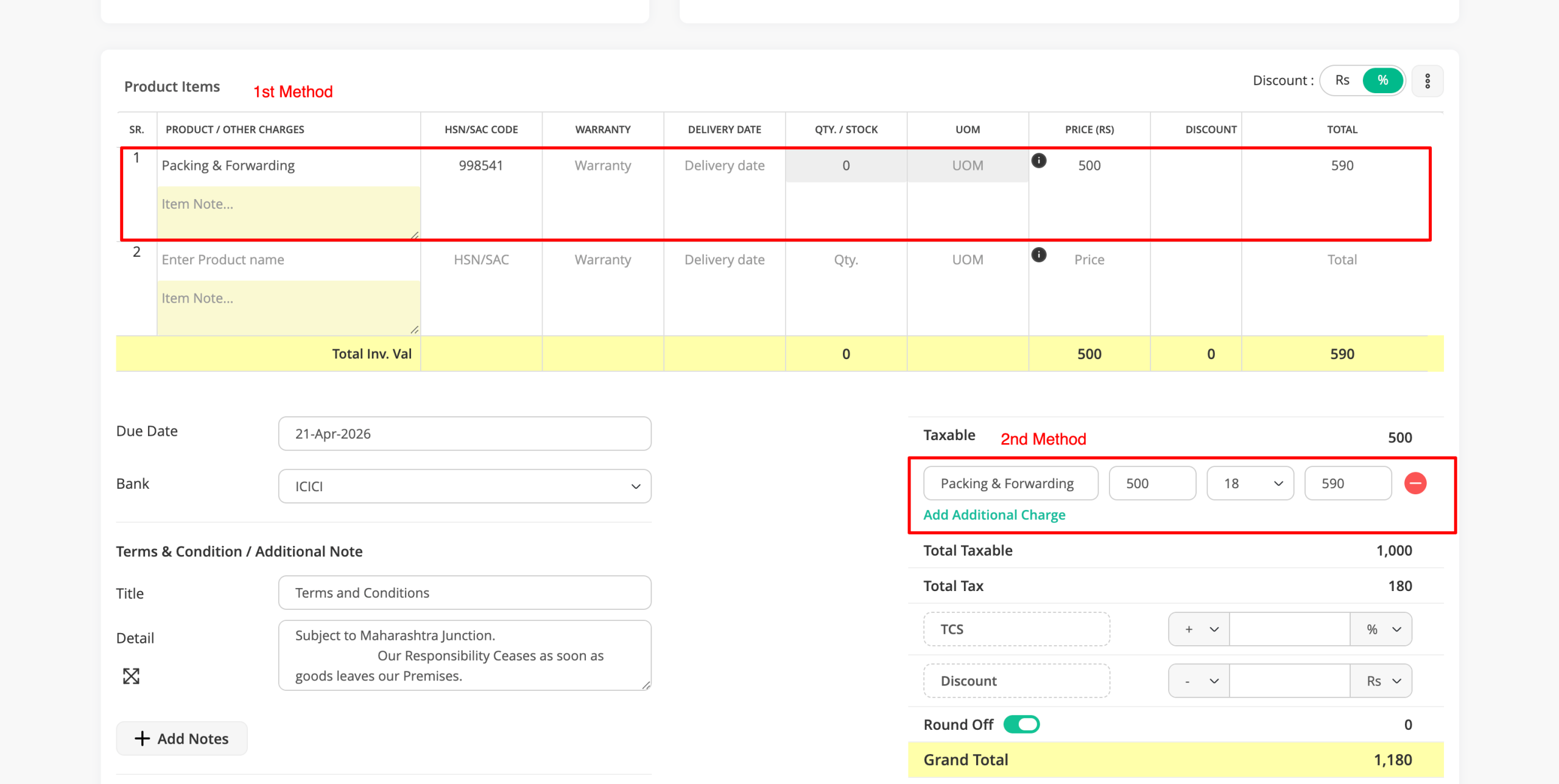
Step 1 : If you have not created any Additional Charge, you need to create one first as shown below. If you have already added it, you can simply add it to the invoice as shown in Step 3.
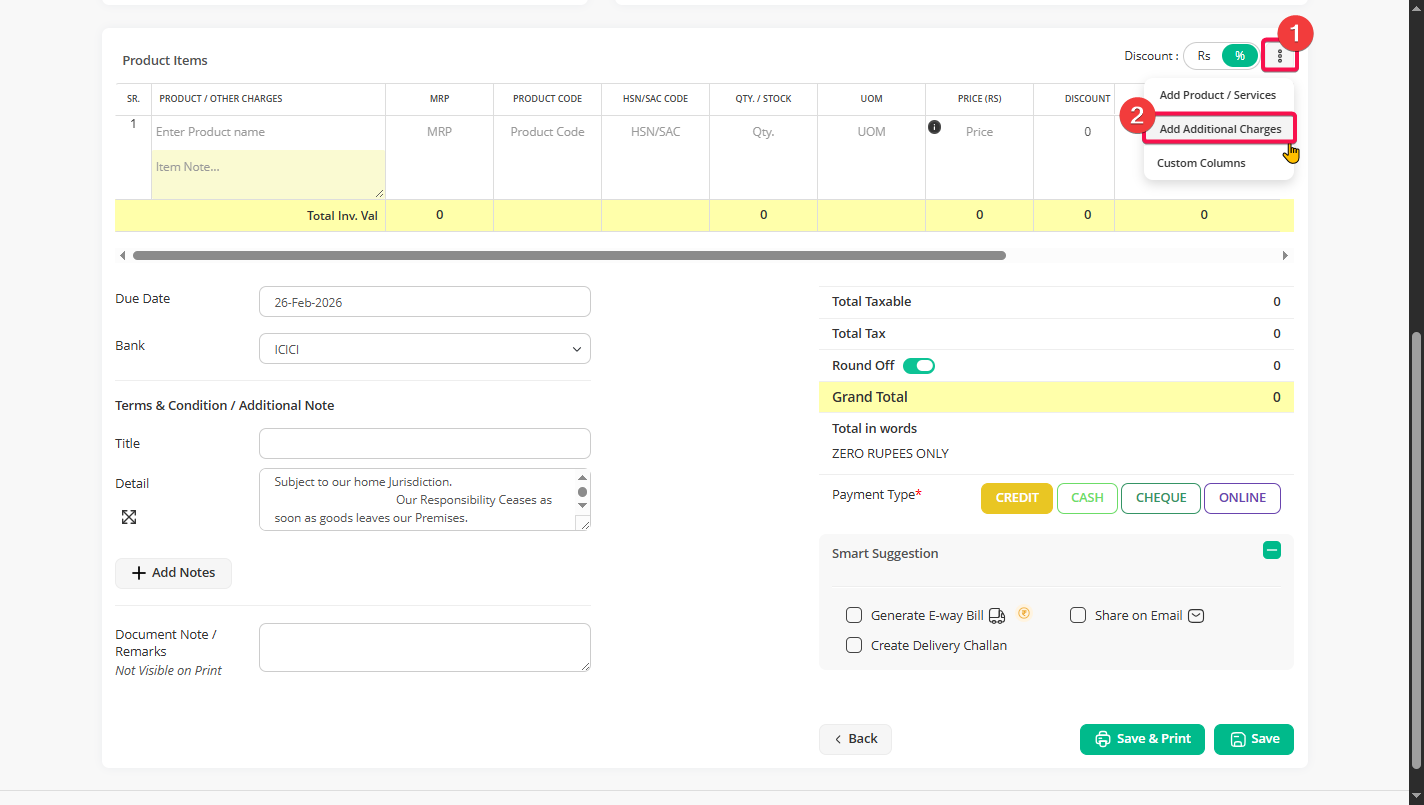
To add new Additional Charge Go to Product items section, click on the three dots on the right side. Click on “Add additional charges”.
Step 2 : Add the required additional charges such as transport, packaging, loading, or any other extra cost and click “save”.
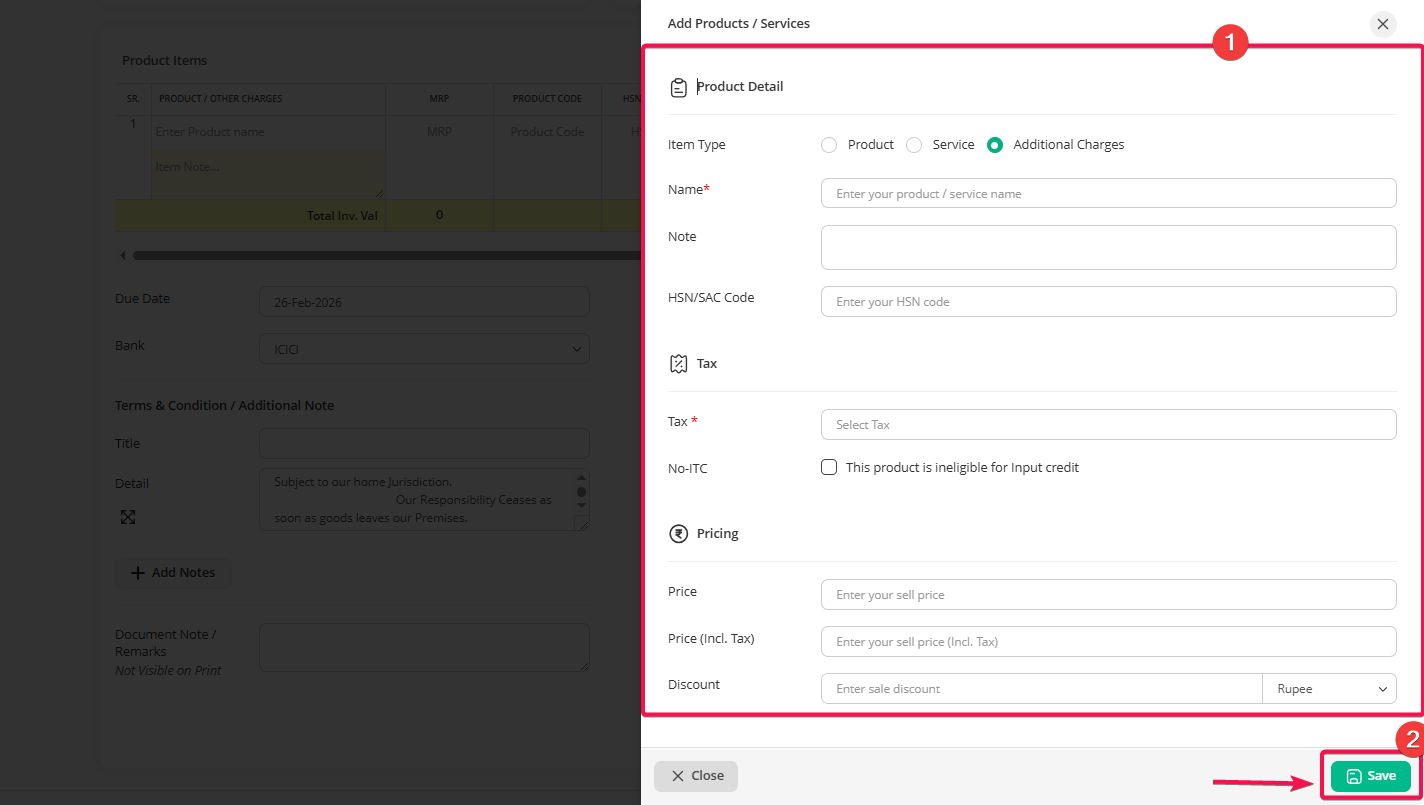
Note: You can also create an Additional Charge from the Product menu by choosing “Additional Charges” as the Item Type.
Step 3: Once you create an Additional Charge, you can add it to the invoice using the two methods shown in the screenshot below:
– Add it in the same section where you add other products
– Add it in the payment summary section below the taxable amount
If you add the Additional Charge in the product section, it will show below the items in the invoice print. If you add it in the payment summary section, it will show there.